

By Ron Bhojwani
Last Updated: September 23, 2026
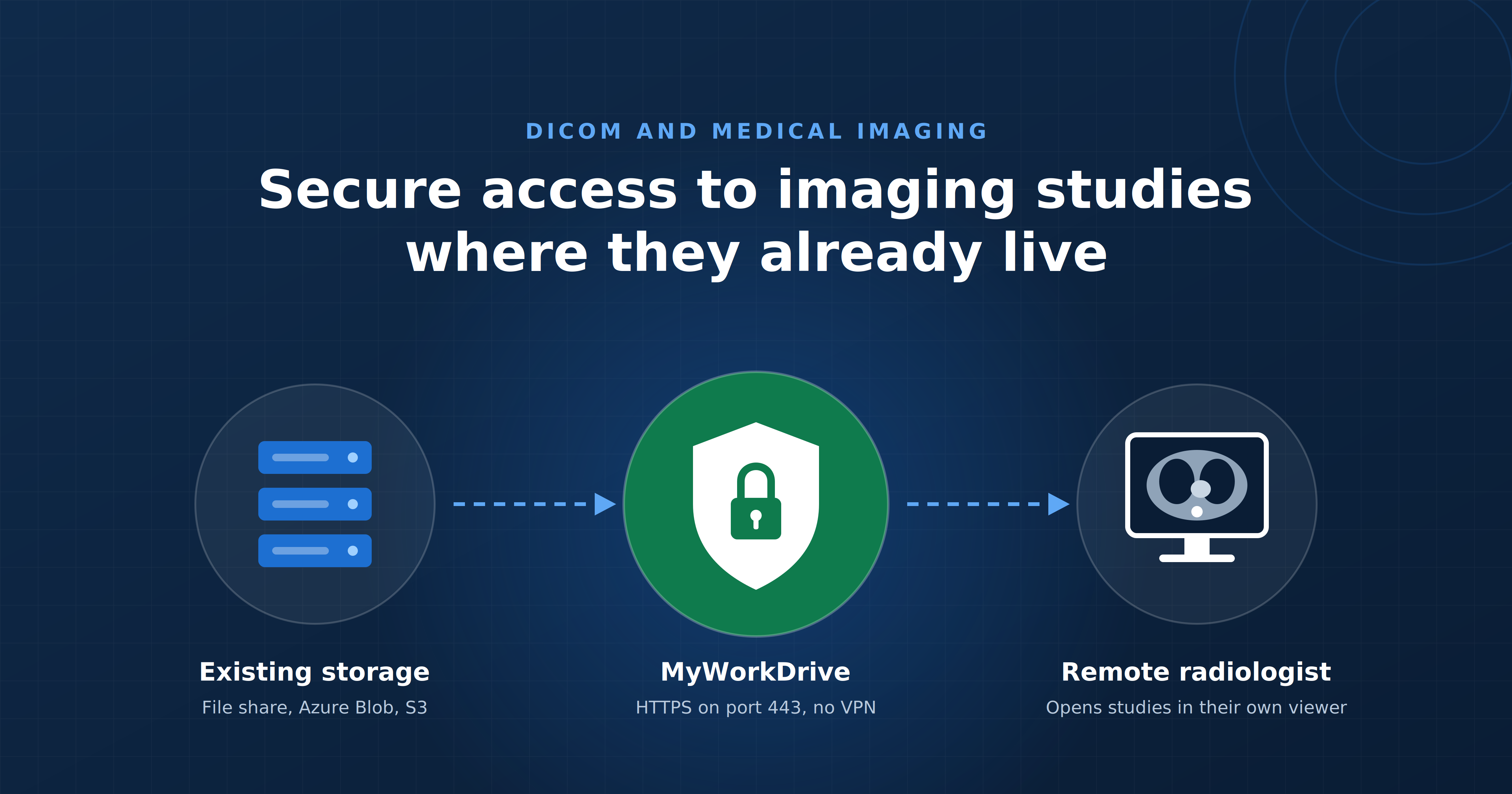
DICOM files sit in an uncomfortable spot for most IT teams. A single study can run into the hundreds of megabytes or more, the data is Protected Health Information under HIPAA, and the people who need access, radiologists, referring physicians, outside consultants, are frequently working from outside the hospital network. Standard sync-and-share tools were not built for this combination of file size and regulatory weight. This is where a secure file access gateway like MyWorkDrive fits into the picture, and it is worth being precise about exactly where it fits and where it does not.
Large File Handling for DICOM Without Migration
MyWorkDrive's approach to large files starts from a simple premise: the file should not have to move. Instead of copying a study into a separate cloud repository, MyWorkDrive shares it directly from wherever it already lives, a Windows file share, Azure Blob Storage, or Amazon S3, using public or guest links that point to the file in place. That eliminates the duplication and transfer lag that comes with sync-based tools, since there's never a second copy sitting in a third-party store to keep in sync.
| Step | Typical sync-and-share tool | MyWorkDrive |
|---|---|---|
| Where the study lives | Copied into the vendor's cloud repository, then synced to each device | Stays on the Windows file share, Azure Blob container, or S3 bucket it was written to |
| Copies created | One in the vendor store plus a local copy on every synced device | None. Links and the mapped drive point to the file in place |
| Upload before sharing | Required. The study must finish uploading before a link works | Not required |
| Permission model | Rebuilt inside the tool, separate from the file server | Existing NTFS permissions through Active Directory or Entra ID |
| Transport | Sync client, provider dependent | HTTPS on port 443, no VPN |
| Large file transfer | Single sync stream per file | Multi-threaded parallel transfers with optional server-side ZIP compression |
| Where PHI sits at rest | Customer storage plus the vendor's cloud | Customer storage only |
For day-to-day access rather than one-off sharing, MyWorkDrive's mapped drive client lets remote users, including off-site radiologists, mount the storage as a drive letter over HTTPS. It behaves like a local network drive without requiring a full-tunnel VPN, and the same mapped-drive access works whether the underlying storage is an on-premises file server, Azure Blob, or S3. On the performance side, MyWorkDrive uses multi-threaded parallel transfers and server-side compression, and the biggest practical lever for imaging-scale files is keeping the MyWorkDrive server close to the storage it's serving, since colocating the server with the storage backend removes most of the latency that shows up when a study has to hop between regions or providers.
HIPAA and GDPR Support for Medical Imaging Data
MyWorkDrive is built around a model that supports HIPAA and GDPR requirements rather than adding a separate storage layer that itself needs to be secured. Files stay in the customer's existing storage, permissions are enforced through Active Directory or Entra ID rather than a parallel permission system, and a Business Associate Agreement covering PHI handling is available, which is the mechanism HIPAA actually relies on rather than a certification badge. MyWorkDrive does hold one real, checkable certification: a FIPS 186-4 RSA algorithm validation from NIST, certificate 3018, which is a specific cryptographic validation rather than a general compliance claim.
| Technical safeguard | What the standard requires | How MyWorkDrive addresses it |
|---|---|---|
| Access control, 164.312(a) | Limit ePHI access to authorized users; unique user IDs; automatic logoff | Existing NTFS and AD or Entra ID permissions enforced; MyWorkDrive can restrict access but cannot grant beyond storage ACLs; per-share client restrictions; configurable session timeouts |
| Audit controls, 164.312(b) | Record and examine activity in systems that contain ePHI | Authentication, file operations, share link lifecycle, admin changes, and device approvals logged; Syslog export to SIEM |
| Integrity, 164.312(c) | Protect ePHI from improper alteration or destruction | File contents are not stored on the MyWorkDrive server; edit and delete events are attributed to a user in the audit log; view-only mode blocks changes on sensitive shares |
| Person or entity authentication, 164.312(d) | Verify the identity of anyone seeking ePHI access | Authentication happens at the identity provider (AD, Entra ID, SAML SSO); MFA through Duo, Okta, Entra ID and others; MyWorkDrive does not store passwords |
| Transmission security, 164.312(e) | Guard against unauthorized access to ePHI in transit | TLS 1.2 or higher on all connections; single inbound port 443; no SMB or NetBIOS exposed to the internet |
Safeguard language summarized from 45 CFR 164.312. These controls support a covered entity's HIPAA program; the risk analysis, policies, and BAA remain the organization's responsibility. A proposed update to the Security Rule would make several of these addressable specifications mandatory.
For imaging specifically, three controls matter most. Data leak prevention lets administrators put PHI-containing shares into view-only mode, blocking download, printing, or copying to a personal device, so a referring physician can review a study without a copy of it landing on an unmanaged laptop. Every file action, including who opened, downloaded, or shared a specific study, is logged with enough detail (user, IP, device, path, operation, result) to hand to an auditor. And because the imaging data never leaves the customer's own storage, there is no separate repository where PHI sits with a third party, which is the piece of the HIPAA Security Rule that trips up a lot of general-purpose file sharing tools.
| Control | What it does | Applies to |
|---|---|---|
| View-only / download block | File opens in a secure viewer; no local copy is written | Web client, mapped drive secure view (supported file types), mobile |
| Dynamic watermark | Overlays viewer username, date and time, and custom text | Browser viewing, supported desktop clients, mobile |
| Clipboard blocking | Prevents copy-out from the secure viewer | Secure viewers, including mapped drive secure view for supported file types |
| Device approval | Allowlist of endpoints permitted to connect; monitor mode first, then enforce | Mapped drive and mobile clients |
| Public link guardrails | Expiration, password, view vs. download, download limits, all link events logged | Web share links |
| Per-share client restrictions | Enable or disable web, mapped drive, or mobile access for a given share | Any share |
Sources: Security & DLP feature page and the Data Leak Prevention knowledge base article.
Clinical Limitations Worth Knowing Before You Deploy
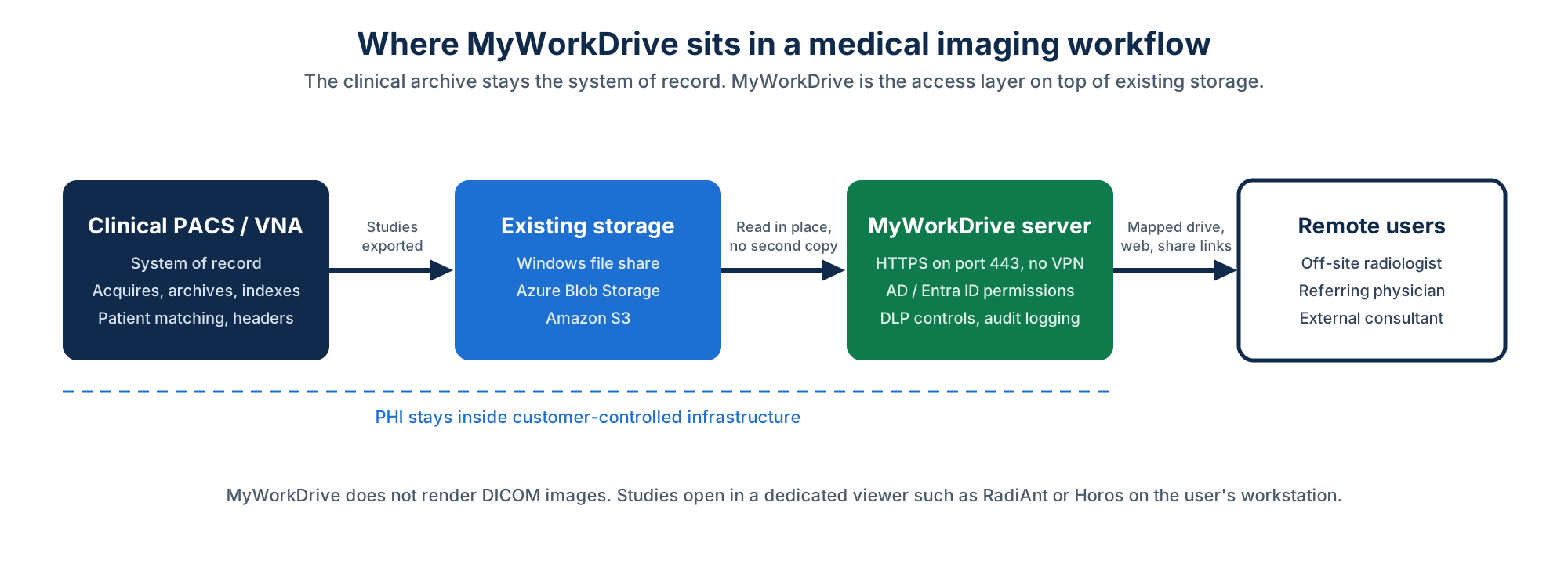
MyWorkDrive is a strong fit for getting DICOM files securely in front of the right person outside the hospital network, but it is not a substitute for clinical imaging software. There is no embedded DICOM viewer. If an external physician opens a folder of .dcm files through MyWorkDrive's web portal, they'll see raw files, not rendered images. They still need to download the study into a dedicated viewer, such as RadiAnt or Horos, to actually read it. MyWorkDrive gets the file there securely and quickly; it does not replace the workstation that displays it.
There's also no metadata extraction or patient matching. Unlike a true vendor neutral archive, MyWorkDrive treats a DICOM file as a data payload, similar to how it would treat a PDF or a CAD file. It doesn't read the DICOM header, and it doesn't coordinate patient identity with an EHR platform. That correlation work still belongs to the PACS or VNA sitting upstream.
| Function | MyWorkDrive | Where it belongs |
|---|---|---|
| Remote access to study files without a VPN | Yes | MyWorkDrive |
| Drive-letter access for off-site radiologists | Yes | MyWorkDrive mapped drive client |
| Sharing a study with an outside consultant by link | Yes | MyWorkDrive public or guest links |
| Per-file audit trail of who accessed a study | Yes | MyWorkDrive audit log, exported to SIEM |
| Enforcing existing AD or Entra ID permissions | Yes | MyWorkDrive, inheriting from storage |
| Rendering and reading DICOM images | No | Dedicated viewer such as RadiAnt or Horos |
| Reading DICOM headers and metadata | No | PACS or VNA |
| Patient matching and EHR correlation | No | PACS, VNA, or EHR integration layer |
| Archiving and indexing studies (system of record) | No | PACS or VNA |
The Typical Architecture: PACS to File Share to MyWorkDrive
In practice, most healthcare organizations that use MyWorkDrive for imaging are not replacing their PACS or VNA, they're extending its reach. Studies are acquired and archived in the clinical PACS as usual. From there, relevant files land on a Windows file share, Azure Blob container, or S3 bucket that MyWorkDrive already has access to. MyWorkDrive then becomes the layer that lets an off-site radiologist, a referring physician, or an external consultant reach that same storage securely, with the same permissions and audit trail as everyone else, without a VPN and without a second copy of the data anywhere. The clinical system stays the system of record; MyWorkDrive is the access layer on top of it.
Frequently Asked Questions
Does MyWorkDrive replace a PACS or VNA for medical imaging?
No. MyWorkDrive doesn't archive, index, or interpret DICOM data. It provides secure remote and web access to studies that already live in a file share, Azure Blob, or S3 bucket, typically fed by an existing PACS or VNA. The clinical archive remains the system of record.
Can a radiologist view DICOM images directly inside MyWorkDrive?
Not natively. MyWorkDrive doesn't include a DICOM viewer, so a study opened through its web portal appears as raw files. The recipient needs to open those files in a dedicated viewer such as RadiAnt or Horos to read the images.
How does MyWorkDrive handle the size of DICOM studies?
It shares files directly from their existing location, whether a Windows file share, Azure Blob Storage, or Amazon S3, rather than copying them into a separate repository. Combined with multi-threaded transfers and server-side compression, and with the MyWorkDrive server colocated near the storage it serves, this avoids the upload and sync delays that typically slow down large-file transfers in standard sync-and-share tools.
Is MyWorkDrive HIPAA compliant for handling imaging data?
MyWorkDrive supports HIPAA requirements through access controls, audit logging, and a Business Associate Agreement covering PHI, rather than through a HIPAA certification, since HIPAA itself doesn't issue certifications to vendors. It does hold a FIPS 186-4 RSA algorithm validation from NIST (certificate 3018), which is a specific, verifiable cryptographic certification.
Can external radiologists or referring physicians access studies without a VPN?
Yes. MyWorkDrive's mapped drive client connects over HTTPS and mounts the storage as a drive letter, and files can also be shared through secure web links, both without requiring a traditional VPN connection.
Start a free trialBook a demoView pricing

Ron is CEO of MyWorkDrive and a product engineer by background: he spent six years in engineering and product leadership at CData Software, then served as MyWorkDrive's Chief Product Officer before stepping into the CEO role. A Dartmouth College alum, he writes for IT leaders navigating file access, data sovereignty, and enterprise IT strategy.