
VPN Alternative for Secure File Sharing Without Network Risk
Users get a browser, a mapped drive, and a mobile app, all over HTTPS on port 443. IT gets a single encrypted port instead of a tunnel, with no SMB exposure and no lateral network access.
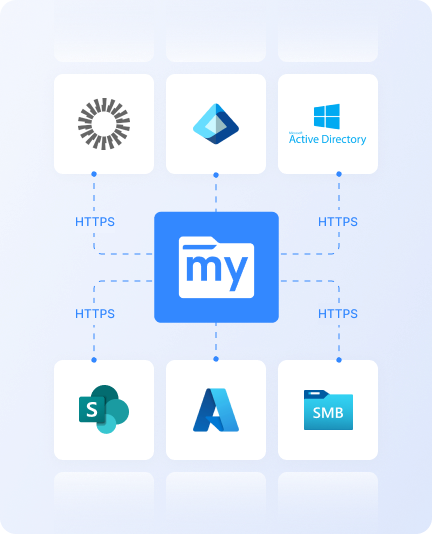
MyWorkDrive is a gateway to your existing file servers, Azure Files, and S3 storage. It authenticates against your identity provider, enforces your NTFS permissions, and delivers file access without touching VPN infrastructure. No files are moved, copied, or synced. Your storage stays exactly where it is.
Bring Your Own Storage. Connect what you already have instead of migrating to something new.
Replace Your VPNWith File-OnlyAccess.
Security Risk
IT Overhead
User Friction
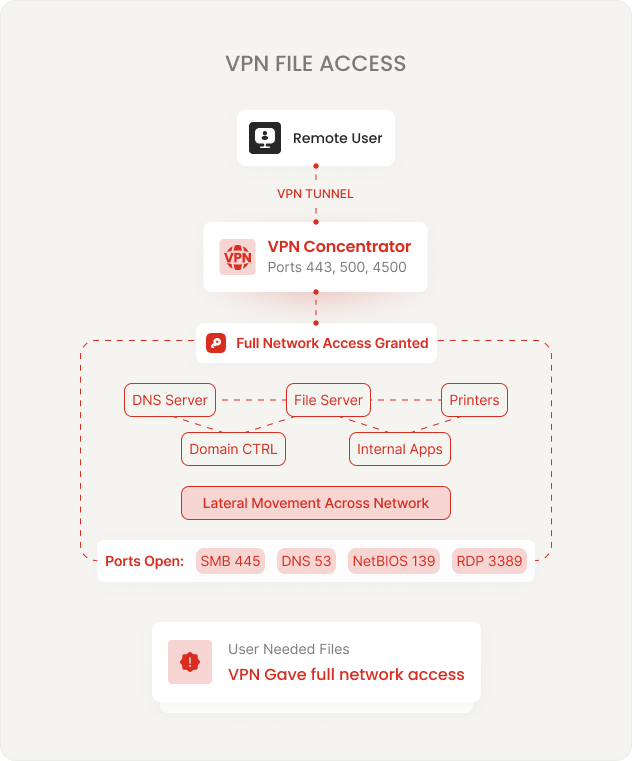
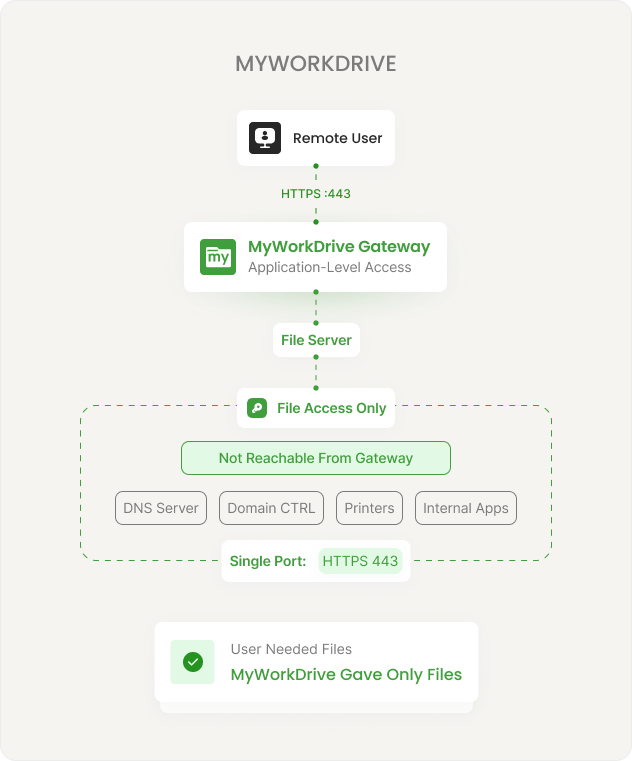
Users get a mapped drive, a browser, or a mobile app, all over HTTPS on port 443. Thenetwork gets a single encrypted port instead of a tunnel. No lateral movement. No network-levelconnection. Files stay on your servers. Permissions stay in Active Directory.
What Changes When the VPN Goes Away
The shift from network-level to application-level access reduces attack surface, simplifies operations, and improves the user experience.
Network-Level Connection
Application-Level File Access
Permissions cannot be elevated beyond what Active Directory and NTFS grant. There is no separatepermission system. Users see only what they are authorized to see on the file server itself.
Four Ways to Publish. All Over Port 443.
Choose the publishing method that matches your security posture and network architecture. All options deliver the same user experience. Switch between them at any time.
Cloud Web Connector
Built-in Cloudflare tunnel. No inbound firewall ports. Outbound 7844 only. Automatic SSL provisioning. WAF and DDoS protection included. Fastest path to production.
Direct HTTPS
Your own hostname, your SSL certificate, port 443 inbound. Full control over DNS and certificates. IIS lockdown policies for hardened deployment. Simple single-server setup.
Reverse Proxy / WAF
Place the server behind your existing proxy. Compatible with F5, Kemp, nginx, and other appliances. Session persistence required for multi-server deployments.
Entra Application Proxy
No inbound ports. Pre-authentication and Conditional Access evaluate before requests reach the server. Microsoft-native ingress for Entra SSO environments.
What Happens When Someone Opens a File Remotely
Removing the VPN does not mean reducing security. It means replacing network-level controls with application-level controls that are more granular and easier to audit.
Identity-Based Access
SSO through AD, Entra ID, or any SAML 2.0 IdP. MFA is enforced by your identity provider, not by a separate system. Conditional Access policies apply before the user reaches files. Learn more.
Encryption
TLS 1.2+ with ECDHE and AES-GCM on all connections. TLS 1.3 preferred where supported. FIPS 186-4 RSA validated (NIST certificate #3018). Windows FIPS mode supported. Learn more.
Data Leak Prevention
Block downloads, disable clipboard, enforce view-only with watermarks. Set policies per share, per user, or globally. DLP-enabled shares require the Secure Driver for desktop client access. Learn more.
Device Approval
Restrict file access to approved devices only. View OS details, last login, and usage patterns for all connected clients. Unapproved endpoints are blocked before they reach files. Learn more.
Audit Logging
Every file operation logged: authentication, open, edit, save, delete, share. Export to SIEM via Syslog. Threshold alerts flag unusual access patterns. Searchable logs with export. Learn more.
Session & Access Policies
Configure session timeouts, IP address restrictions, and file type block/allow lists from the centralized admin console. Policies apply immediately without redeployment. Learn more.
Three Access Methods. Same Files. No Retraining.
Users access the same files and folders through whichever client fits their workflow. All three use HTTPS on port 443. All three enforce the same permissions and policies.
Web File Manager
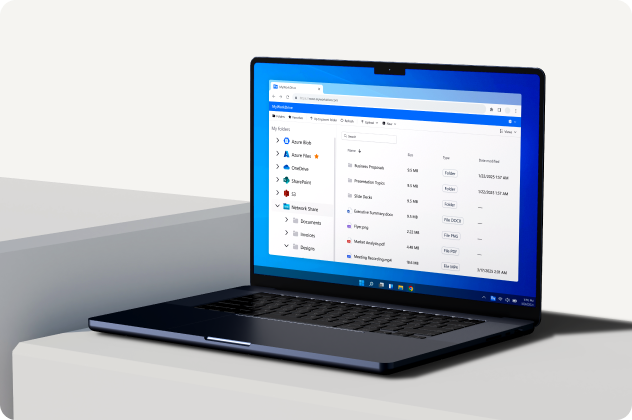
Full file manager in any modern browser. Upload, download, preview, search, and edit Office files with Office Online. No software to install. Works from any device, any network, including locked-down kiosks and guest machines.
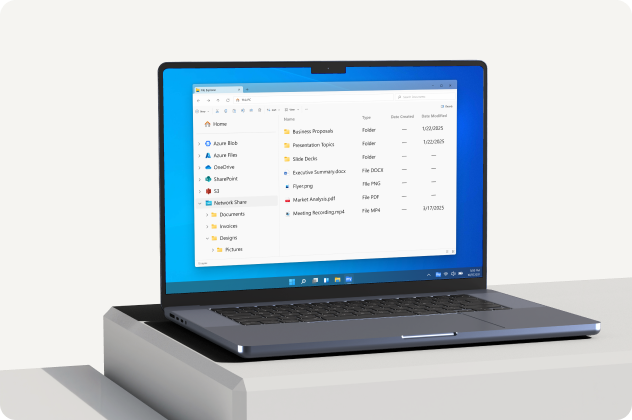
Mapped Drive
Windows and macOS drive letter that looks and works like a local network share. Existing scripts, shortcuts, and Save As workflows work without changes. Native file locking with SMB. Users see the same folder structure they already know.
iOS and Android Apps
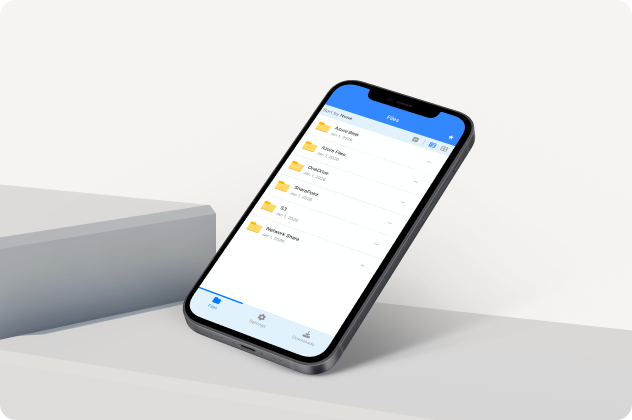
View, edit, upload, and share files from phones and tablets. Offline support for frequently accessed files. Policy controls apply: DLP, device approval, and audit logging follow the user to mobile.
Prove Your Access Model to Any Auditor
Designed for organizations that need to demonstrate their access model to auditors, compliance teams, and security reviewers — with documentation, not promises.
Zero trust design. All remote connections terminate at the application server. No network-level access granted.
Least-privilege access through native AD and Entra ID integration with inherited NTFS permissions.
In-memory processing. No customer file content persists on application servers.
FIPS 186-4 RSA validated (NIST #3018). SOC 2 Type II certified. HIPAA BAA available.
Aligns with CMMC AC, AU, IA, and SC control families. GDPR, FINRA, and FedRAMP supported.
Deploys on Windows Server + IIS. No external database required. Your existing backup and DR procedures continue unchanged.
Frequently Asked Questions
Does this completely replace our VPN?

For file access, yes. Users get browser, mapped drive, and mobile access to file shares without VPN. If they also need VPN for other internal applications (RDP, line-of-business apps, internal web tools), you may still need VPN for those use cases. Many organizations keep a reduced VPN deployment for non-file workloads while moving file access to MyWorkDrive.
Do we need to migrate files or change permissions?
No. This is a gateway, not a storage product. It connects to your existing Windows file servers, Azure Files, Azure Blob, SharePoint, and S3-compatible storage. Your NTFS permissions, folder structure, and file locations stay exactly as they are. Permissions are enforced live. Nothing is imported, synced, or replicated.
What happens if a user is on a network that blocks VPN protocols?
They connect normally. All traffic runs over standard HTTPS on port 443, which passes through virtually every firewall, hotel network, and guest Wi-Fi environment. This is one of the most common reasons organizations adopt MyWorkDrive: users on restricted networks can access files without IT intervention.
How does the Cloud Web Connector work?
The Cloud Web Connector uses a built-in Cloudflare tunnel agent on your server. It creates an encrypted outbound connection on port 7844 to the Cloudflare network. No inbound firewall ports are required. Cloudflare handles SSL provisioning, WAF protection, DDoS mitigation, and smart routing automatically. As of version 6.4, there are no file size limits when using the Cloud Web Connector.
Can we switch publishing methods later?
Yes. You can start with the Cloud Web Connector for fastest deployment, then switch to Direct HTTPS, a reverse proxy, or Entra Application Proxy at any time. The publishing method is a configuration choice, not an architectural commitment. The user experience stays the same regardless of which method you choose.
How long does deployment take?
Typical deployment takes 60 to 90 minutes with proper access to DNS, certificates, and firewall management. Install on a Windows Server, connect your file shares, configure SSO, and announce the URL to your users. The Cloud Web Connector option is even faster because it requires no inbound firewall changes or SSL certificate management.
Companies Benefited from Using MyWorkDrive
 HEALTHCARE
Sanford Health
One of the largest rural health systems in the United States, Sanford Health operates an integrated network of hospitals, clinics, and long-term care facilities across the Midwest and Great Plains regions.
 EDUCATION
University of Oxford
University of Oxford is one of the world's oldest and most prestigious universities. It comprises 39 autonomous colleges and is consistently ranked among the top universities globally across virtually every academic discipline.
 GOVERNMENT
CA Department of Fish and Wildlife
A California state agency responsible for managing the state's diverse fish, wildlife, and plant resources, as well as the habitats on which they depend. It oversees hunting and fishing regulations, species conservation programs, and environmental review across California's vast ecosystems.
 NONPROFIT
Habitat for Humanity
A global nonprofit that brings together volunteers, donors, and partner families to build and improve homes for people in need. Since 1976, it has helped millions of families achieve strength, stability, and self-reliance through affordable homeownership in over 70 countries.
 LEGAL
LEGAL
Aderant
A leading global provider of business management software for law firms, offering solutions that cover practice management, billing, financial reporting, and knowledge management. Its platforms are used by many of the world's largest law firms to streamline operations and improve profitability.
 DATA ANALYTICS
J.D. Power
A global data and analytics company known for its independent consumer intelligence and benchmarking studies across industries including automotive, financial services, healthcare, and technology.
60 Minutes From Install to Sharing a File
Start a free trial. Install on a server, connect a file share, and give a user browser access to their files — no VPN, no migration, no database, no weekend project.