
Secure File Access Built for Financial Services
MyWorkDrive gives IT and compliance one audit trail across every storage system in your environment. Files stay on your infrastructure. Access is logged end to end. No VPN. No migration. No vendor cloud holding client data.
Staff get secure access from any branch or location. Compliance gets the answers examiners actually ask for.
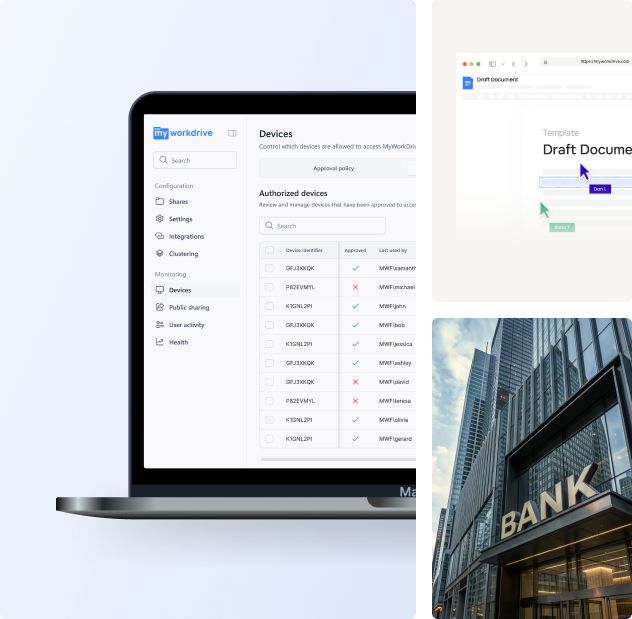
FINRA, GLBA, and SOX-Ready Out of the Box
When a regulator or outside auditor reviews your institution, they are not focused on your product stack. They are looking for evidence of access controls, data residency, and user activity. MyWorkDrive provides those answers without moving client data into a vendor cloud.
"Who accessed this file, when, and from where?"
"Where does client data reside?"
"How do you control access from outside the office?"
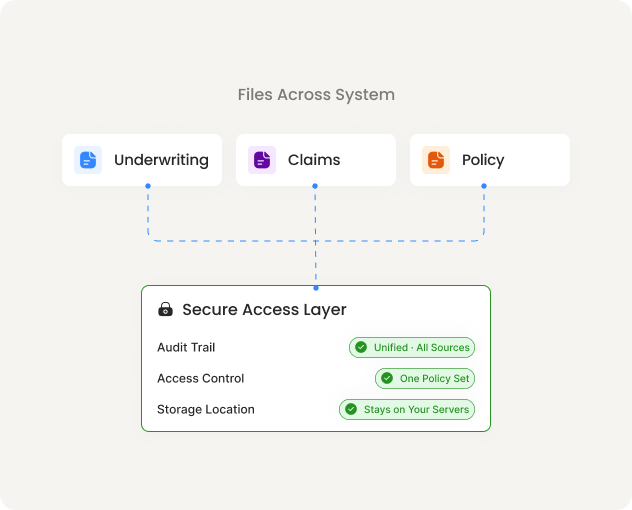
Every file event is logged across every connected storage type.
Opens, edits, downloads, shares, and authentication attempts — each recorded with user identity, timestamp, source IP, device, and file path.
One audit trail regardless of whether the file lives on a Windows file share, SharePoint, or Azure storage. Export to Splunk, QRadar, or Microsoft Sentinel via Syslog.
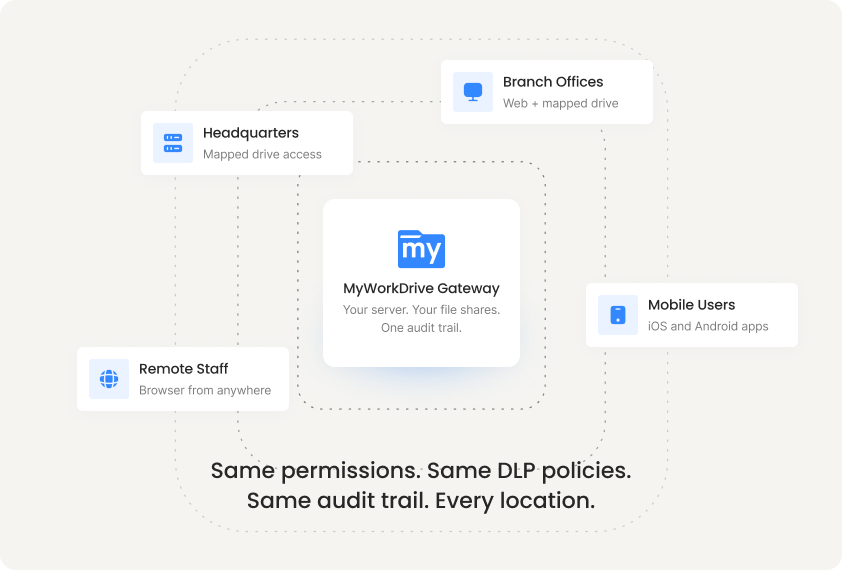
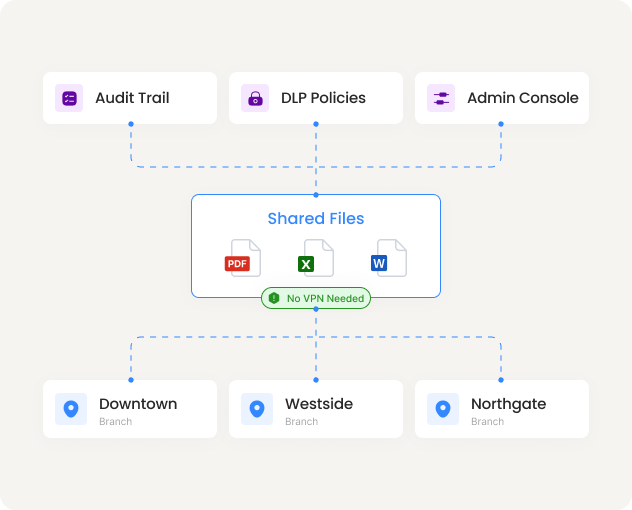
Twelve branches. One admin console. One audit trail.
VPN doesn't scale across locations. Every branch adds complexity — new tunnels, new support tickets, new gaps in your audit coverage. Cloud migration raises data residency questions your compliance team has to answer.
MyWorkDrive gives every location the same secure HTTPS access to the same file shares. Branch staff, home offices, and mobile users all connect through one gateway. IT manages access, DLP policies, and device approval from a single console. Every file event is logged regardless of where the user sits.
No VPN infrastructure to maintain per location. No per-branch configuration. Add a location by adding users.
Share Documents With Clients. Keep Files On Your Servers.
Emailing portfolio reviews, policy documents, or workpapers creates copies that leave your environment permanently. Consumer file sharing means client data on a third party's cloud.
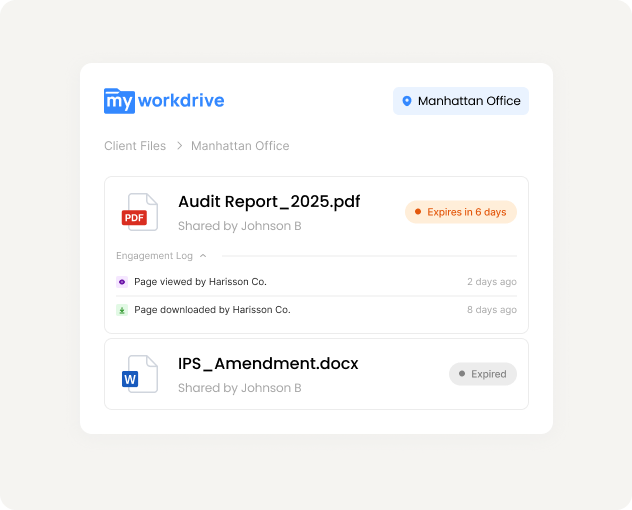
MyWorkDrive lets staff share files through secure links with controls that satisfy your compliance requirements.
- Password-protected links with firm-wide minimum complexity requirements
- Auto-expiration after a set number of days or views
- View-only mode with watermarks, download blocking, and clipboard restriction
- Full audit trail on every view and download with timestamp and IP
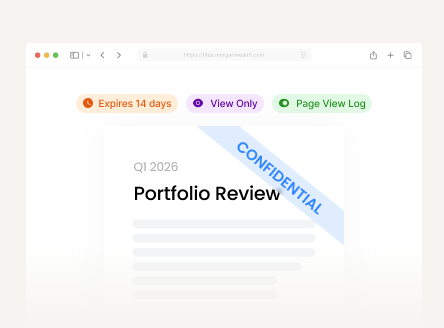
Sends quarterly portfolio review to client. View-only, watermarked, expires in 14 days. Every page view logged.
Wealth Manager
Sends quarterly portfolio review to client. View-only, watermarked, expires in 14 days. Every page view logged.
Loan Officer
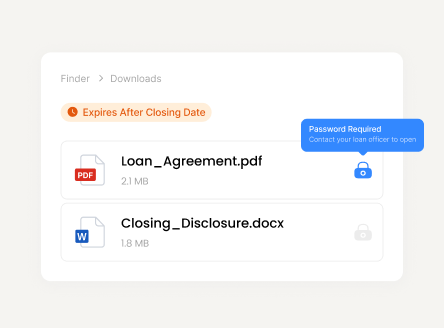
Shares closing documents with borrower. Password-protected, download enabled, expires after closing date.
Tax Accountant
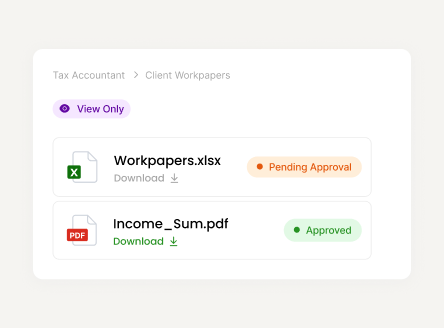
Delivers client workpapers. View-only until approved, then download unlocked. Access revoked after filing.
Insurance Agent
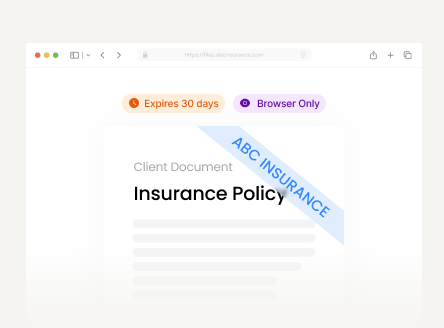
Sends policy documents to insured. Browser-only viewing with company watermark. Link expires in 30 days.
Runs on Your Infrastructure. No Vendor Cloud Between Your Staff and Your Files.
Runs On Your
Infrastructure
MyWorkDrive installs on your Windows Server or Azure VM. It connects to your existing file shares, SharePoint, and Azure storage. Files are accessed directly. Nothing is copied, cached, or routed through a third party. Learn more.
Authentication Stays Under Your Control
Active Directory, Entra ID, or SAML. MFA and Conditional Access policies you already manage apply automatically. No separate credentials. No vendor-managed identity layer. Learn more.
$5/User/Month. All Connectors. All Clients.
Web browser, mapped drive, and mobile apps included. No per-GB storage fees. No per-connector charges. Average deployment from install to first user access: under 2 hours. Learn more.
MyWorkDrive cannot elevate permissions. It enforces what your storage and identity systems already grant. It can add restrictions through DLP policy but cannot authorize access that hasn't already been granted.
MyWorkDrive provides the technical controls and audit capabilities. Your compliance team owns the framework.
Who This Is For
Wealth Management
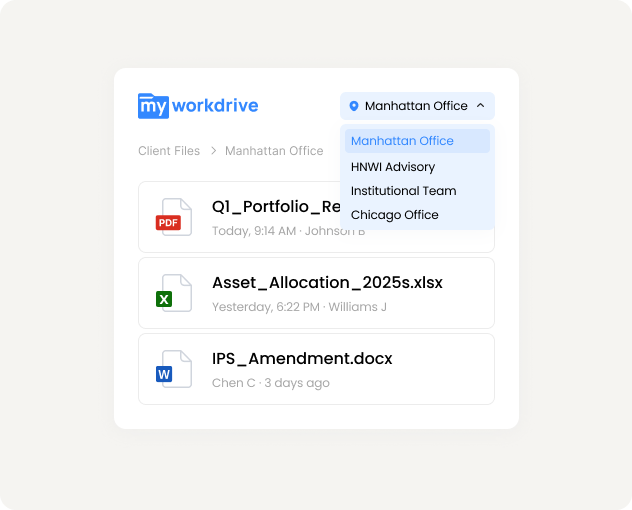
Advisors need client files from any office. Compliance needs proof of who accessed what. One platform that satisfies both without putting client data in a vendor cloud.
Banking and Credit Unions
Branch staff access shared files without VPN. Every location covered by one audit trail, one set of DLP policies, and one admin console.
Insurance
Underwriting, claims, and policy files scattered across offices and storage systems. One secure access layer with a unified audit trail across all of it.
Accounting and Audit Firms
Client workpapers stay on your servers. Share with clients through controlled, expiring links. Every view and download logged for engagement documentation.
Connect a test share. See the audit trail before your next examination.
Start a free trial on your infrastructure. Files accessible from a browser in minutes, with every access logged from the first click.