
Data Sovereignty and Localization Laws Without Compromising Your Infrastructure
Deploy on-premises or in-country, authenticate with your identity provider of choice, and give users modern, secure access to on-server files. No migration. No vendor lock-in. Full sovereignty over every byte.
Users get modern file access from any device. IT keeps every byte inside approved jurisdictions.
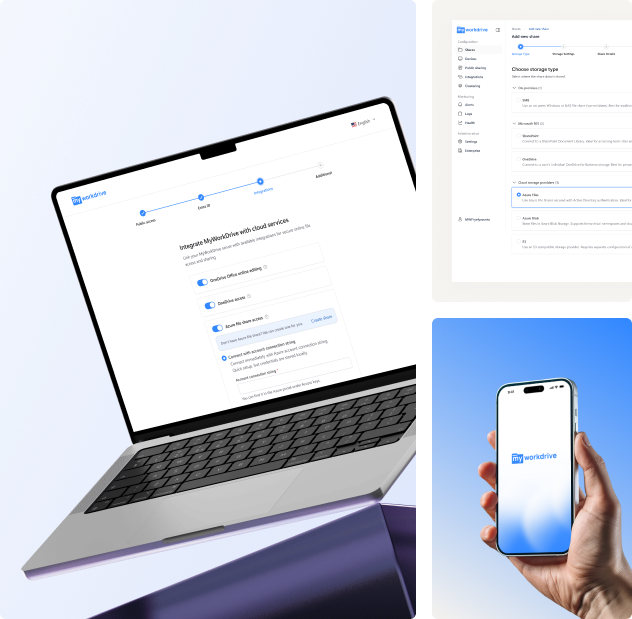
Bring Your Own Storage. Files stay on
infrastructure you own. Just a
secure gateway to what you already have.
Cloud file platforms force a trade-off that sovereignty laws do not allow.
An Access Layer,
Not a Storage Platform
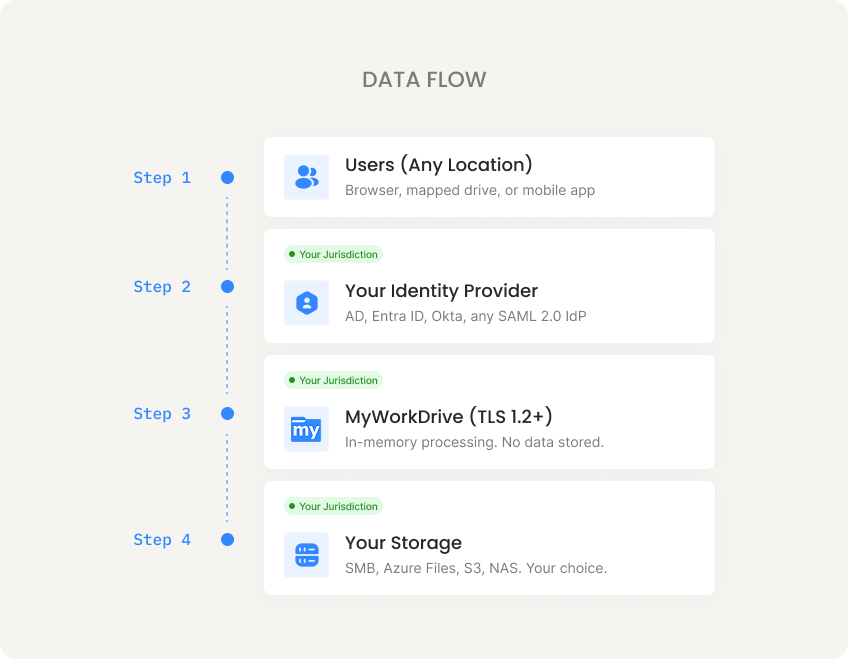
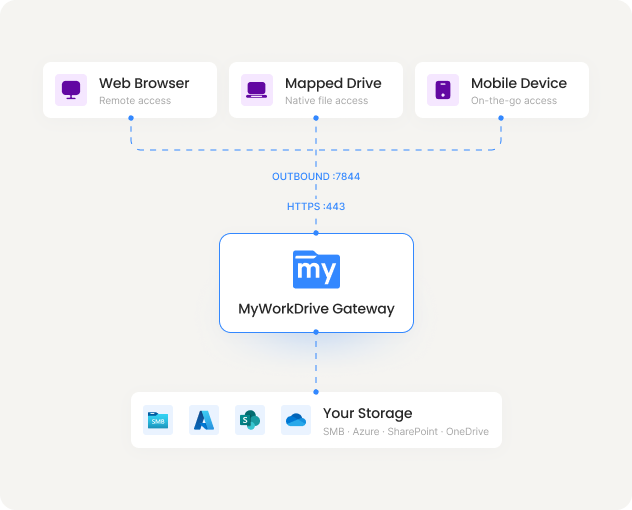
MyWorkDrive is self-hosted on your Windows Server. File content is processed in memory and never persisted on the application server. No file data passes through external infrastructure. Your storage, your identity provider, and your audit logs all remain within your jurisdiction.
Users connect through a web browser, mapped drive, or mobile app over TLS 1.2+. Authentication is handled by your identity provider. File permissions are enforced by your existing Active Directory and NTFS ACLs. MyWorkDrive brokers secure access. That is all it does.
MyWorkDrive cannot elevate permissions beyond what Active Directory and NTFS grant. It inherits your existing authorization model. No separate user database. No permission sync. No shadow copies of your access rules on external servers.
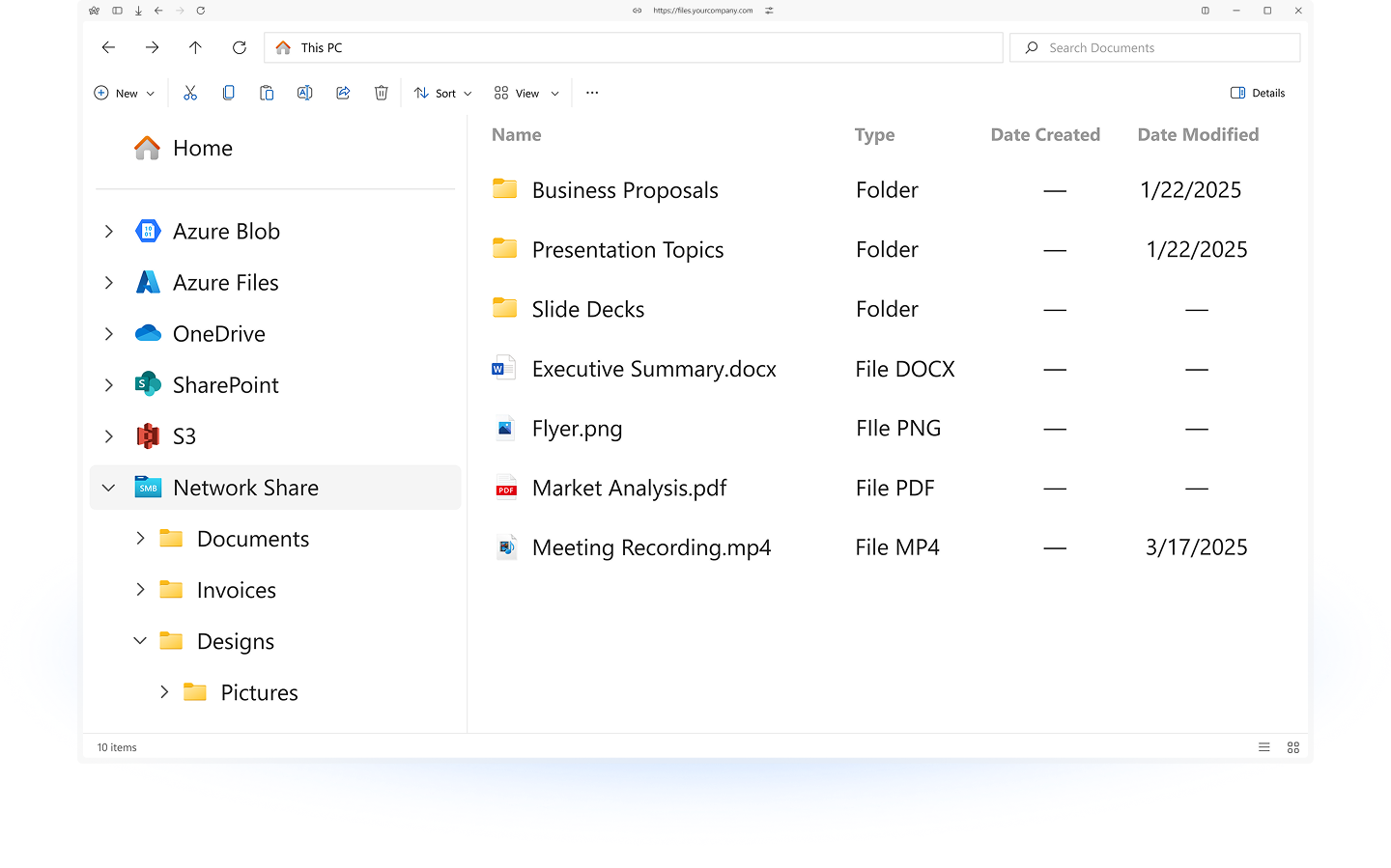
Full sovereignty. Users never
notice the difference.
Users log in with existing credentials and see their file shares
through
a clean web interface, mapped drive, or mobile app.
Four Kinds of Independence
Sovereignty requires independence at every layer of the stack: where files are stored, how users authenticate, how documents are edited, and how the server is published.
Storage Independence
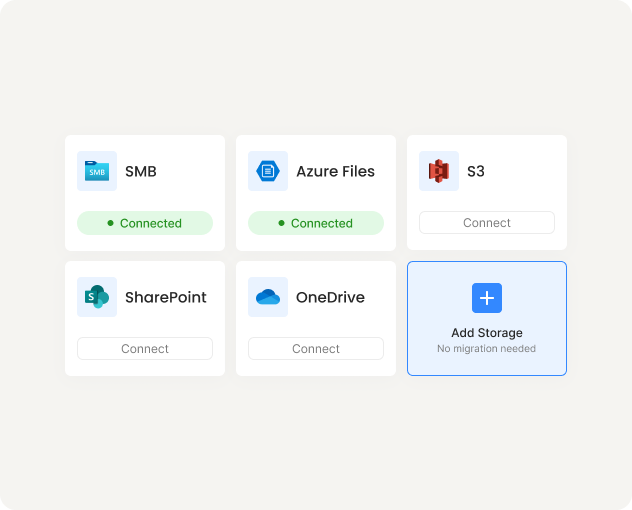
Connect to the storage you already operate. No migration. No sync. No replication to external infrastructure. Learn more.
Identity Independence
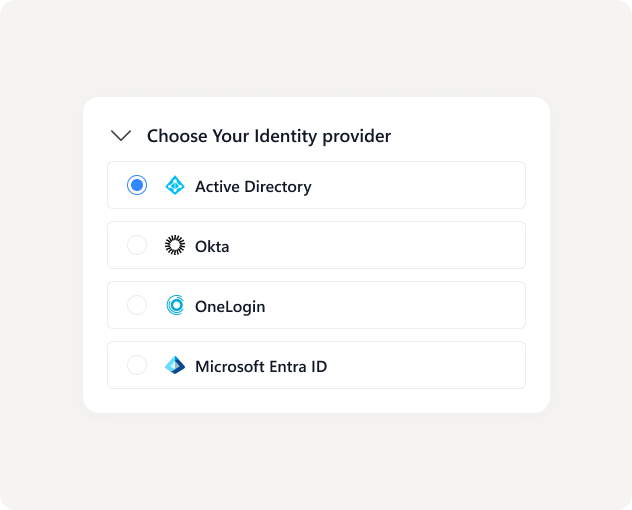
Authenticate through your existing identity provider. No mandatory dependency on Entra ID or any specific cloud platform. Learn more.
Editing Independence
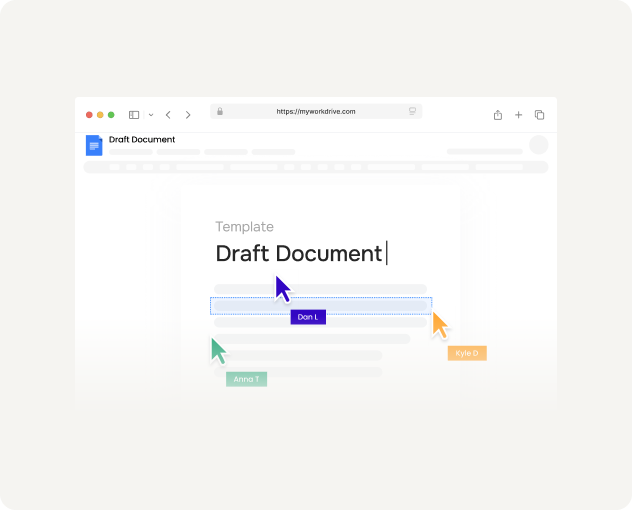
Edit Office documents without a mandatory Microsoft 365 dependency. Host your editing environment on infrastructure you control. Learn more.
Network Independence
Publish your server the way your security policy requires. Quick deployment or fully locked down. Learn more.
Permissions Trust Anchor
NTFS permissions, SharePoint permissions, and Azure storage access controls remain authoritative. Your existing source of truth stays in control. MyWorkDrive cannot elevate permissions. It can only enforce what is already granted and optionally restrict further by policy.
Deploy In Hours. Not Months.
Average deployment: under two hours from install to first user access.

Install Server
Deploy on any Windows Server, on-prem or regional VM

Connect Identity
Local AD or any SAML provider.
Entra ID optional.

Connect Storage
SMB shares, Azure Files, Blob, or S3.
Permissions enforced.

Users Access Files
Existing credentials. Web, mapped drive, or mobile. No VPN.
< 2 Hrs
Average deployment time
Zero
Files migrated
100%
Permissions preserved
Sovereignty-Driven Compliance, Deployed On Your Terms.
Compliance is a consequence of where data lives, who controls access, and what audit trail exists.
Personal data must remain in designated jurisdictions. Cross-border restrictions are tightening.
How It Works
File content stays in your storage, in your jurisdiction. Data minimization by architecture. Full audit trails for DSAR. Policy controls for cross-border transfer.
PHI requires strict controls on storage location, access authorization, and activity logging.
How It Works
PHI remains in customer-controlled storage. TLS 1.2+ everywhere. Least-privilege via AD permissions. Comprehensive audit logs. BAA available on request.
Growing jurisdictions require that domestically generated data remains subject to domestic law.
How It Works
Every component deploys inside national infrastructure. No content transits external servers. Identity stays under domestic IdP control. Storage location is your decision.
Why Regulated IT Teams Choose This Over Cloud-First File Platforms
Cloud-first platforms are built to centralize your data in their infrastructure. MyWorkDrive is built to leave your data where it already lives.
Connect to existing shares and ACLs. Files do not move.
Choose your storage, your IdP, and your editing environment independently.
Deploy in hours using infrastructure you already have. No migration project.
Per-user licensing. No per-GB egress fees. No storage charges on top of what you already pay.
Not a configuration flag. The architecture physically prevents data from leaving your boundary.
Frequently Asked Questions
What is the difference between data sovereignty and data residency?

Residency is where data physically sits. Sovereignty means data is governed by the laws of where it resides. Both matter. MyWorkDrive satisfies both because files never leave the storage and jurisdiction you choose.
Do we need Entra ID or Microsoft 365?
No. Local Active Directory or any SAML identity provider works. Okta, Ping, OneLogin, ADFS, and others are fully supported. Entra ID is an option, not a requirement.
Can we edit Office documents without Microsoft 365?
Yes. Host Office Online Server or OnlyOffice locally or in-country. Editing happens on your infrastructure without routing content through external cloud services.
Will we have to migrate files?
No. Files stay where they are. Permissions stay intact. Folder structures are preserved. Backup and compliance workflows keep working because nothing moved.
How does the architecture support GDPR and HIPAA?
File content remains in customer-controlled storage, inside your jurisdiction. Access is governed by existing AD and NTFS permissions. Every file event is logged. TLS 1.2+ secures all communications. BAA available on request for HIPAA.
Can external parties access files without copying them out?
Yes. Provide time-bound, password-protected sharing links. Files remain on your storage. External recipients access through a browser. You control expiry, download restrictions, and watermarking.
Companies Benefited from Using MyWorkDrive
 HEALTHCARE
Sanford Health
One of the largest rural health systems in the United States, Sanford Health operates an integrated network of hospitals, clinics, and long-term care facilities across the Midwest and Great Plains regions.
 EDUCATION
University of Oxford
University of Oxford is one of the world's oldest and most prestigious universities. It comprises 39 autonomous colleges and is consistently ranked among the top universities globally across virtually every academic discipline.
 GOVERNMENT
CA Department of Fish and Wildlife
A California state agency responsible for managing the state's diverse fish, wildlife, and plant resources, as well as the habitats on which they depend. It oversees hunting and fishing regulations, species conservation programs, and environmental review across California's vast ecosystems.
 NONPROFIT
Habitat for Humanity
A global nonprofit that brings together volunteers, donors, and partner families to build and improve homes for people in need. Since 1976, it has helped millions of families achieve strength, stability, and self-reliance through affordable homeownership in over 70 countries.
 LEGAL
LEGAL
Aderant
A leading global provider of business management software for law firms, offering solutions that cover practice management, billing, financial reporting, and knowledge management. Its platforms are used by many of the world's largest law firms to streamline operations and improve profitability.
 DATA ANALYTICS
J.D. Power
A global data and analytics company known for its independent consumer intelligence and benchmarking studies across industries including automotive, financial services, healthcare, and technology.
Prove It Works in Your Jurisdiction. In Under Two Hours.
Start a free trial, connect your on-prem or in-country storage, and verify that no data leaves your infrastructure. No credit card required.