
Give Access Without Giving Up Control
MyWorkDrive helps you grant access to sensitive files with guardrails. Apply view-only access when you need it. Reduce accidental sharing and increase accountability with watermarks. Share externally with expiration and policies. Prove everything with audit logs.
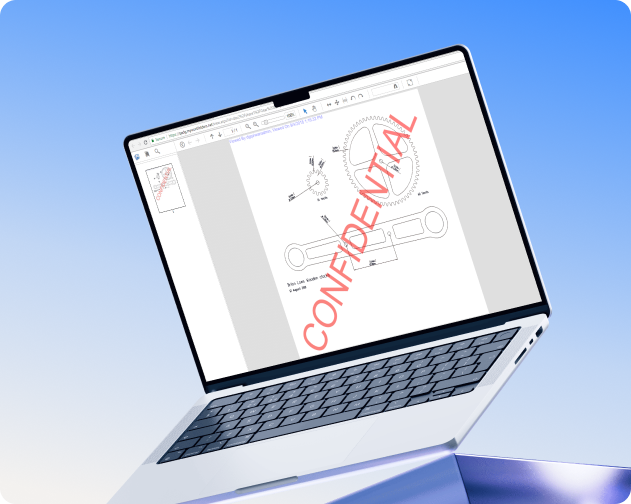
The Problem With "Just Open It"
When someone asks for access to a sensitive folder, you usually face two bad options: say no and slow work down, or say yes and accept the risk.
MyWorkDrive adds a third option: say yes, with conditions. Users get access. You keep control.
View-Only When It Matters
Not everyone who needs to see a document should be able to take it with them. MyWorkDrive lets you apply read-only access, block downloads, and restrict sharing for sensitive content. No syncing to another database. Files never leave their original location.
HR Reviewing
Personnel Files
Staff view documents in the browser. Downloads blocked. Watermarks show who's viewing. Files stay on the server.
Contractors Accessing
Specs
External team members see drawings and documents. Copy and download restricted. Watermarks display username and timestamp.
Executives
on Personal Devices
Board members review financials from any device. View-only mode means nothing persists on unmanaged laptops or tablets.
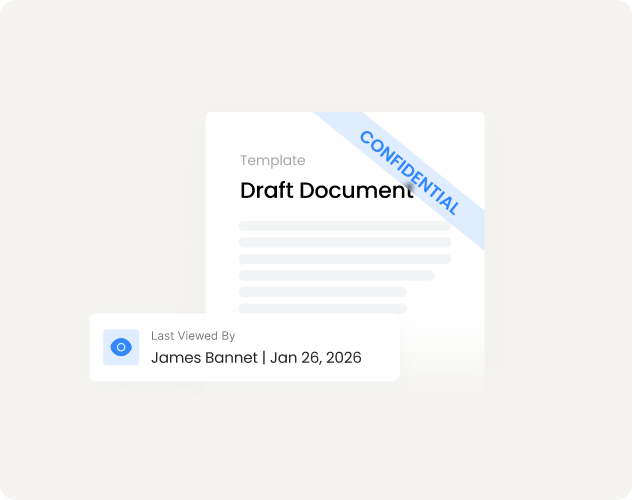
Watermarks That Increase Accountability
Dynamic watermarks show the viewer’s name and the exact time the content was viewed. This helps prevent accidental sharing and increases user accountability.
What appears on screen
Where it applies
External Links With Guardrails
Share files with external partners and clients without creating accounts. Maintain link expirations, passwords, view-only controls, and auditing logs.
Expiration
Links expire after a set number of days
Password Protection
Require a password to open
View vs. Download
View without saving locally
Download Limits
Set maximum downloads per link
Folder or File
Share one document or entire folders
Activity Logged
Link access events are logged for auditing
Invite Guests,
Maintain Compliance
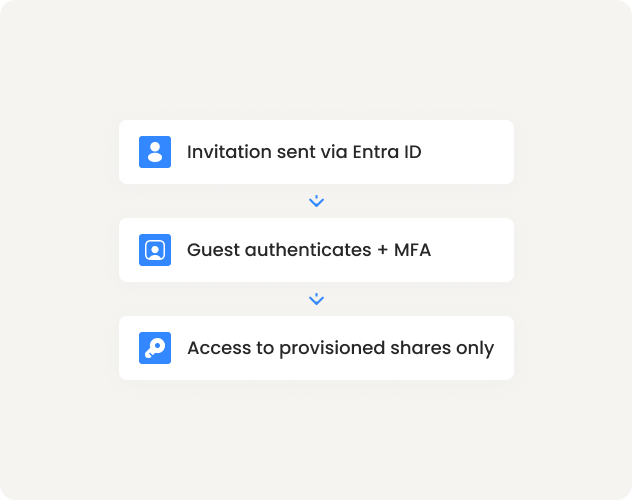
For ongoing collaboration, MyWorkDrive leverages Microsoft Entra B2B guest access, which lets external users authenticate with their own identity while your MFA and Conditional Access requirements remain in place.
Control Which Devices Connect
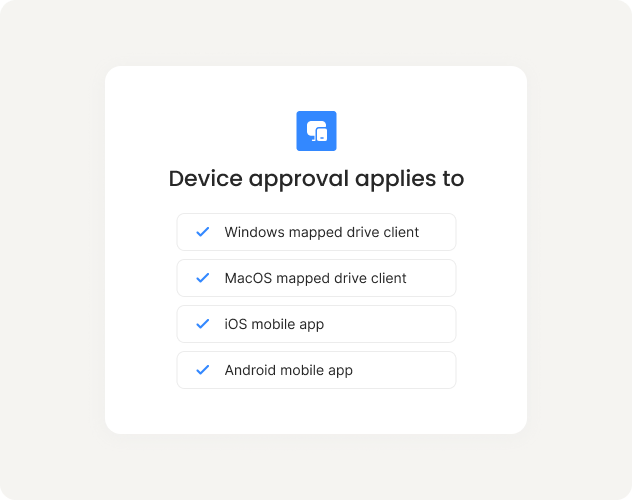
Device approval gives IT visibility into what's connecting and the ability to allowlist devices for mapped drive and mobile clients.
Start in monitor mode
See all devices connecting without blocking anyone
Build your allowlist
Review devices, approve known endpoints
Enable enforcement
Unapproved devices cannot connect
Note: Device approval is an allowlist for MyWorkDrive clients, not an endpoint compliance check. For compliance enforcement, use Conditional Access at your identity provider.
Teams Work Differently.
Security Should Not Suffer.
Apply security controls per share, group, or user. Different teams can work the way they need to without weakening your overall posture.
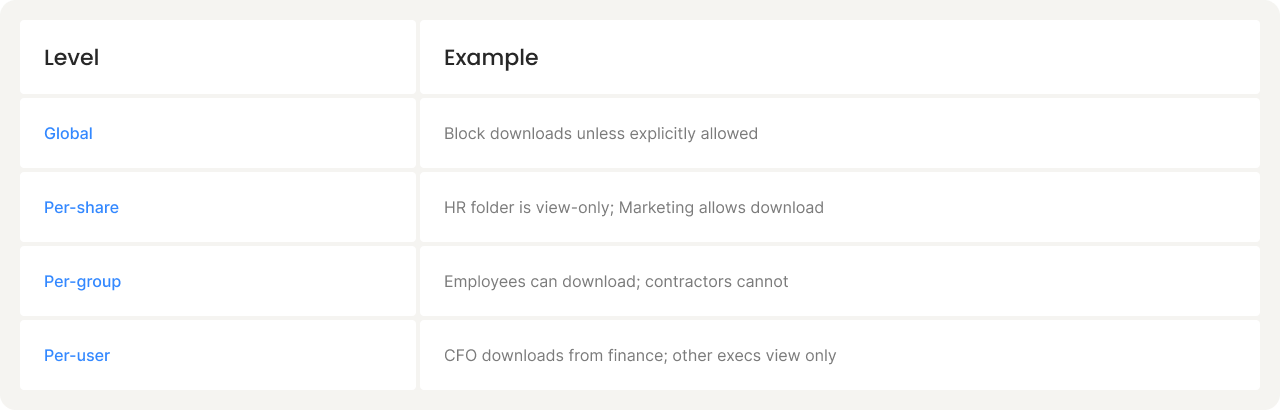
Set global defaults, then narrow by share, group, or user for exceptions. More specific settings override broader ones.
Session Controls
Configure session duration per client. When sessions expire, users re-authenticate via your configured sign-in flow.
Client Restrictions
Enable or disable web, mapped drive, and mobile access per share.
Audit Logs That Stand Up to Scrutiny
File access is only as defensible as your ability to prove what happened. MyWorkDrive logs key authentication and file activity events so investigations and audits don't rely on guesswork.
What gets logged
SIEM Integration
Export logs to your SIEM via Syslog. Set alerts for unusual activity such as mass downloads, sudden link creation, and repeated authentication failures. Retain logs according to your policy.
Compliance Can be Easy
Demonstrate least-privilege access, controlled sharing, download restrictions, device controls, and audit evidence. Never migrate data or rebuild permissions.
Your files stay on your storage. Your permissions stay in AD. MyWorkDrive adds the visibility and controls that compliance requires.
Controls help support compliance requirements. Customers remain responsible for their compliance programs.
Secure by Design
No premium tier. No configuration guide. Security works the moment your team does. Secure out of the box.
Encrypted
Transport
TLS 1.2 or higher for all connections. No legacy protocols.
Identity
at the source
Authentication at your identity provider. MyWorkDrive doesn't store passwords.
No Permission
Elevation
MyWorkDrive can restrict access. It cannot grant access beyond what your storage allows.
Optional Outbound-Only
With Cloud Web Connector, no inbound firewall ports required.
See DLP in Your Environment
Start a 14-day trial. Enable view-only access on a test share. See watermarks, download blocking, and audit logs working with your files and your policies.