

By Kyle Lachmann Last Updated: April 10, 2026
Key Takeaways
- Share files from your existing servers — no VPN, no cloud migration, no vendor lock-in.
- Access from any browser, mapped drive, or mobile device with built-in Office Online editing.
- SSO, MFA, DLP, device approval, and full audit logging meet HIPAA, CMMC, GDPR, and FINRA requirements.
- Deploys in under an hour on existing Windows Server and Active Directory infrastructure.
Sharing files at work should not require a VPN, a cloud migration, or a support ticket. MyWorkDrive connects to your existing Windows file servers and Active Directory, then makes those files accessible over a secure HTTPS connection. Your team gets browser access, native mapped drives, and mobile apps — without a single file being migrated, synced, or stored on a third-party cloud.
How to Share Files with MyWorkDrive
Getting your team set up with secure, easy file sharing takes less than an hour:
1. Install on your server. Run the installer on any domain-joined Windows Server (2016/2019/2022). The wizard handles IIS, AD integration, and prerequisites automatically. About 15 minutes.
2. Point to your file shares. Add your Windows SMB shares, Azure File Shares, SharePoint libraries, or OneDrive locations in the Admin Console. Existing NTFS permissions are inherited automatically — no re-permissioning.
3. Configure security. Enable SSO with Entra ID, SAML, or ADFS. Turn on MFA. Set DLP policies. The built-in Cloudflare reverse proxy means no inbound firewall ports needed.
4. Share the URL. Users go to share.yourcompany.com, log in with existing credentials, and see their authorized shares. No new accounts, no training. Optional mapped drive and mobile clients available.
5. Start sharing. Upload, download, edit in the browser with Office Online, and create password-protected external links with expiration dates. Every file event is logged for audit.
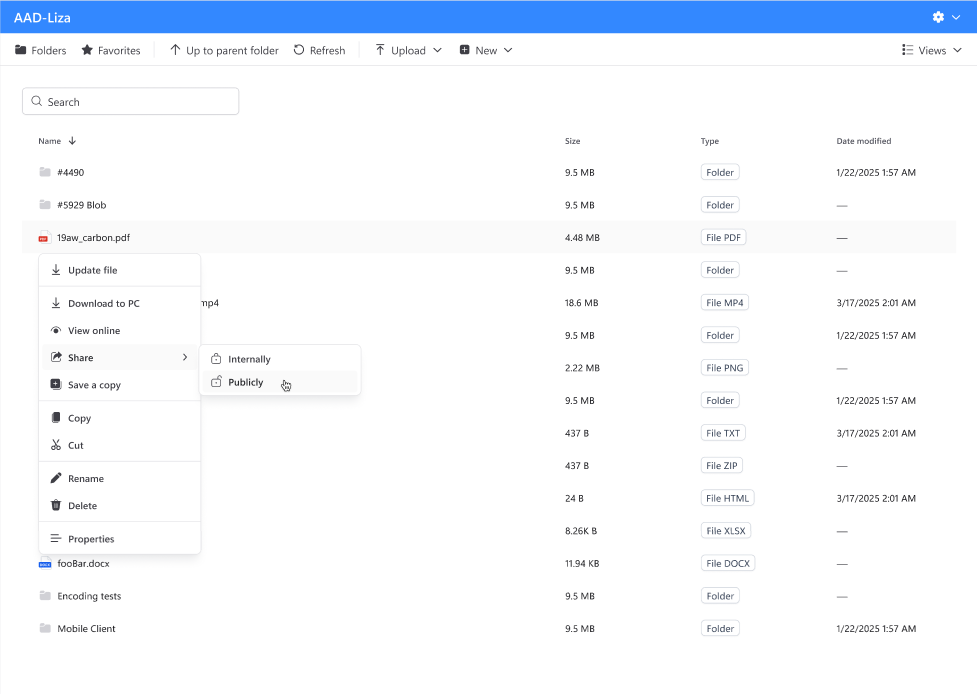
No data migration. No complex firewall rules. No per-user cloud storage fees. Files stay where they are; your team accesses them from anywhere.
What Makes MyWorkDrive Different
No VPN. All connections run over HTTPS port 443 with TLS 1.2+ encryption. No VPN software, no split tunnels, and no exposure of malware-prone ports 137–139 or 445.
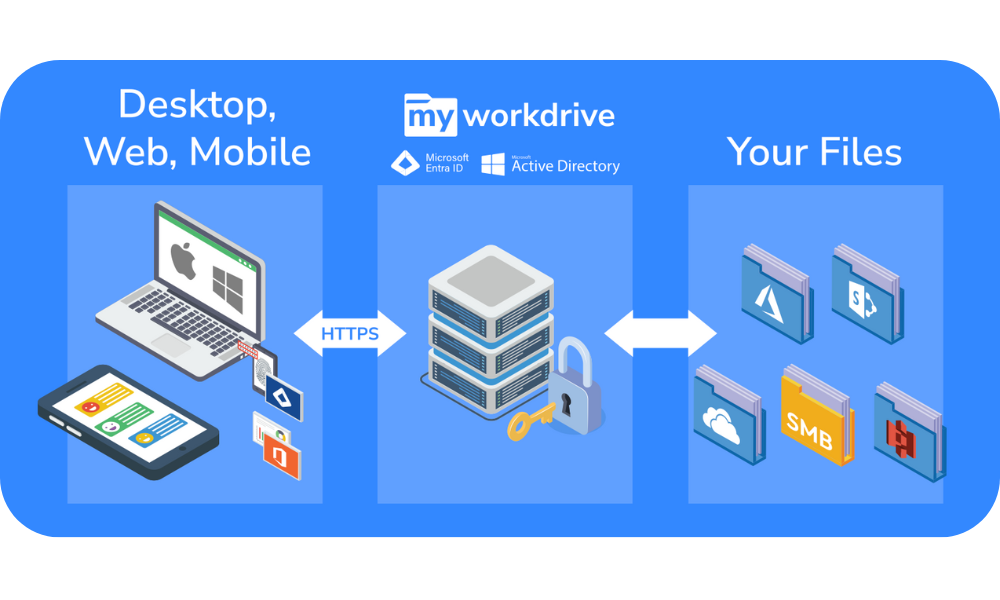
No migration. Files stay on your servers. Connects to on-premises SMB shares, Azure File Shares, Azure Blob Storage, SharePoint Online, and OneDrive for Business — no copying, syncing, or storing data on MyWorkDrive servers.
No re-permissioning. Active Directory users, groups, and NTFS permissions are inherited automatically. MyWorkDrive enforces least-privilege access and can never grant more rights than NTFS already allows.
Any device. Browser (Chrome, Edge, Firefox, Safari), mapped drive (Windows and macOS), and mobile apps (iOS and Android). Office Online editing built in.
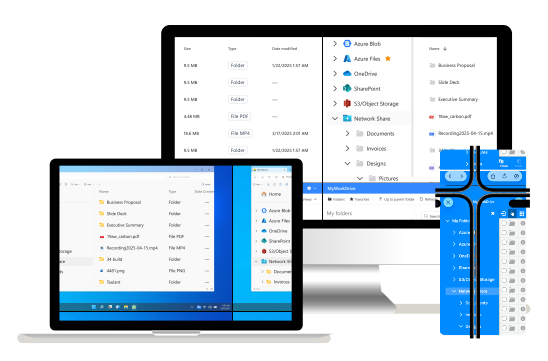
Any storage. On-premises file servers, Azure Files, Azure Blob, SharePoint Online, OneDrive for Business, and DFS namespaces — all from one interface.
Under an hour. 15-minute install, 30–60 minute configuration. No SQL databases, no server clusters, no third-party dependencies.
Enterprise Security, Zero Complexity
Easy does not mean insecure. Every file shared through MyWorkDrive is protected by:
- SSO (Entra ID, SAML, ADFS) — one login, no separate passwords
- MFA (identity provider or native Duo) — second factor on every login
- Data Leak Prevention — download blocking, clipboard/print restrictions, user-identity watermarks
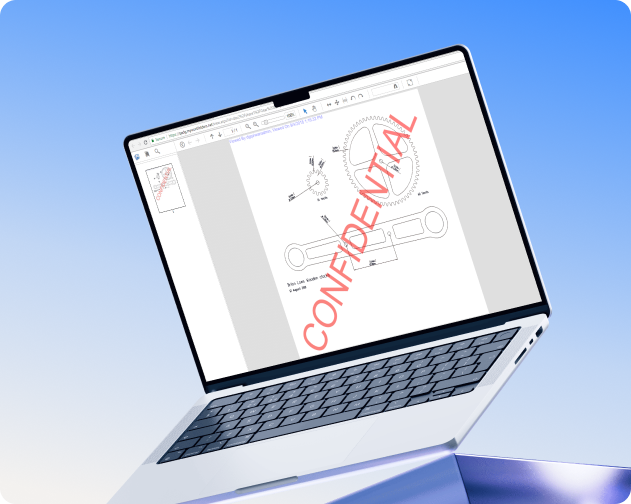
- Device Approval — whitelist specific machines; unapproved devices are blocked
- FIPS-Validated Encryption — TLS 1.2+, RSA 4096, NIST Certificate #3018
- Full Audit Logging — every access, edit, download, and share logged; native SIEM/syslog export
- Zero Trust Architecture — per-request auth, single port, no SMB exposure, no lateral movement
Built for Compliance
MyWorkDrive meets regulatory requirements across regulated industries:
- HIPAA: Access controls (§164.312(a)), audit controls (§164.312(b)), integrity (§164.312(c)), transmission security (§164.312(e)). BAAs available.
- CMMC: Level 2 support for CUI handling — access control, audit, identification, and system protection.
- GDPR: Data never leaves your infrastructure. Full audit trails for subject access requests.
- FIPS & FedRAMP: FIPS 186-4 validated (NIST #3018). FedRAMP deployment support.
- FINRA: Complete logging, DLP controls, and data sovereignty for recordkeeping requirements.
MyWorkDrive vs. Consumer File Sharing Tools
| Consumer Tools | MyWorkDrive | |
| Data Location | Vendor's cloud | Your servers — never migrated |
| Permissions | Separate system | Inherits NTFS & AD automatically |
| Compliance | Limited; tier-dependent | HIPAA, CMMC, GDPR, FIPS built in |
| Data Sovereignty | Vendor controls it | You control it completely |
| Storage Costs | Per-user; scales with data | None — your existing storage |
| Vendor Lock-In | High — migration to leave | Zero — files never moved |
| DLP Controls | Basic or unavailable | Watermarks, download/print blocking |
| Audit Logging | Limited | Complete with SIEM export |
| Time to Deploy | Minutes (migration: months) | Under one hour |
What Our Customers Say
Ready to see the difference? Start a free trial or book a live demo to see MyWorkDrive in your environment.
Global Nonprofit — Unified Distributed Teams
A global nonprofit tried OneDrive, SharePoint, Dropbox, and Box. None delivered the file-sharing experience their distributed offices needed. MyWorkDrive gave every office seamless access to centralized shares with full AD integration and no VPN.
"Simple but incredibly powerful! I was given the directive to make the company function as if we were in one location — and MyWorkDrive delivered." — Program Director, Global Nonprofit
MSP — Deployed Across Multiple Clients
After evaluating Box, Dropbox, Citrix, Tresorit, and others, an MSP chose MyWorkDrive for native drive mapping, security controls, and pricing that worked at scale.
"MyWorkDrive is a game changer. Best product in years. I looked at literally every file sharing company out there." — Principal, Managed Service Provider
Enterprise — Remote Work in Under a Week
When a company's firewall ran out of VPN licenses during the shift to remote work, MyWorkDrive was deployed and fully operational in under a week.
"Within the week all users were able to connect securely and quickly." — IT Administrator
Frequently Asked Questions

What is the easiest way to share files securely for business?
Use a solution that works with your existing infrastructure. MyWorkDrive connects to your Windows file servers and Active Directory so your team can start sharing securely in under an hour. Users log in with existing credentials and can create password-protected sharing links with expiration dates.
Can I share files without migrating to the cloud?
Yes. MyWorkDrive accesses files where they live — on your servers, Azure File Shares, or SharePoint. Nothing is copied, synced, or stored on MyWorkDrive servers. You get cloud-like access without the migration.
How does MyWorkDrive compare to Dropbox or Google Drive?
Those are consumer cloud storage services requiring data upload and separate permissions. MyWorkDrive makes existing file shares accessible remotely without moving data — with built-in HIPAA, CMMC, GDPR, and FIPS compliance, inherited AD/NTFS permissions, and no per-user storage fees.
Is MyWorkDrive secure enough for healthcare and government?
Yes. HIPAA technical safeguards, CMMC Level 2 support, FIPS 186-4 validation (NIST #3018), FedRAMP deployment support, SSO, MFA, DLP with watermarking, device approval, and complete audit logging with SIEM integration. BAAs available.
How long does setup take?
About 15 minutes to install, 30–60 minutes for full configuration. Most organizations are live in a single day.
Do users need special software?
No. The web file manager works in any modern browser. Optional native clients are available for Windows, macOS, iOS, and Android.
What happens to my files if I stop using MyWorkDrive?
Nothing. Files were never moved. Stopping MyWorkDrive removes the remote access layer. Files, permissions, and storage remain untouched. Zero vendor lock-in.
Get Started with Easy File Sharing
MyWorkDrive deploys in under a day with your existing infrastructure. No migration, no re-permissioning, no per-user storage costs.
▶ Start Free Trial — Full functionality. No credit card.
▶ Book a Demo — Tailored walkthrough for your environment.
▶ View Pricing — From $5/user/month. No storage fees.