
Files.com Alternative: Self-Hosted Secure File Access on Existing Infrastructure
Cloud file transfer platforms are frequently evaluated for a requirement they are not built around: giving staff day-to-day access to the file servers, SharePoint sites, and Azure storage an organization already operates. Delivering that through a hosted service places a vendor, and a vendor-controlled copy of the data, inside the compliance boundary.
MyWorkDrive takes the opposite approach. It installs as a single role on a Windows Server the organization already runs, publishes existing shares over HTTPS on port 443, and stores no files at any point. Access is enforced against existing NTFS permissions, and every action is logged and exportable to SIEM.
Trusted by Organizations Worldwide


Architecture, Security, and Compliance Comparison
How a self-hosted access gateway and a cloud-hosted transfer platform differ on the controls a security review examines.
| Control |
|
Cloud-hosted transfer platform
|
|---|---|---|
| Deployment | Self-hosted on existing Windows Server, published over port 443 | Vendor-operated SaaS |
| Where file data resides | Existing file servers, NAS, SharePoint, OneDrive, Azure, S3. No copy is created | Vendor-operated storage and compute regions, or connected storage reached through the service |
| Vendor access to content | None at any point | Files traverse and may reside in vendor infrastructure |
| Additional data processor | None | Yes, with a processor agreement to maintain |
| Authorization model | Existing NTFS ACLs and directory groups enforced directly | Role-based access control defined inside the platform |
| Primary user experience | Mapped drive letter, browser, and mobile, with Office Online co-editing | Transfer-oriented web interface, protocol clients, and API |
| Inbound firewall exposure | Port 443 only, or an outbound-only tunnel with no published server | Outbound-only agent for reaching on-premises systems |
| Audit logging | File and login activity across all connected storage, exported to syslog and SIEM | Platform audit logs streamed to SIEM |
| Licensing basis | Named users who sign in, tracked over a rolling 30 day period and reassignable | Typically per user with platform tiers |
Secure File Access Requirements and Their Architectural Implications
Five requirements bring both products into the same evaluation. In each case the determining factor is whether file data passes through a vendor-operated service.
Remote access to file servers
Giving staff a working drive from outside the network
MyWorkDrive presents existing shares as a mapped drive letter on Windows and macOS, in a browser, and on mobile, with Office Online co-editing against files that never leave the file server. Transfer platforms are designed around moving files between endpoints rather than serving as the drive staff work in all day.
No retraining, no new filing habits, and line-of-business applications with hardcoded UNC or drive-letter paths keep working.
Data sovereignty
Keeping regulated content out of a vendor's platform
Hosted platforms process file data in vendor-operated regions, with residency offered as a configuration choice. MyWorkDrive never receives a copy: it authenticates the user, enforces the permissions already set on the storage, and passes the file over HTTPS between the user and the organization's own infrastructure.
Residency commitments, sovereignty mandates, and regulatory holds continue to be satisfied by the storage platform already in place.
Audit scope
Limiting the number of systems under assessment
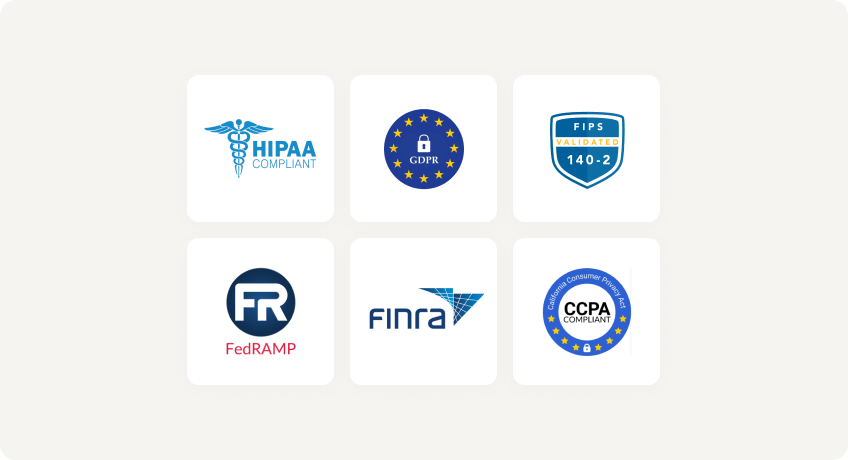
Introducing a hosted service adds a data processor that must be assessed, contracted, and documented for HIPAA, CMMC, FINRA, GDPR, and FIPS obligations. A self-hosted gateway that stores nothing adds one Windows Server role to an estate already in scope.
Fewer systems to certify, no additional processor agreement, and audit evidence drawn from infrastructure the organization already controls.
Permissions
Avoiding a second access control model
MyWorkDrive evaluates every request against existing NTFS ACLs and Active Directory or Entra ID group membership. Role-based models inside a hosted platform are a parallel structure that has to be built, maintained, and reconciled with the directory during an access review.
Removing a user from a group removes their access immediately, with no synchronization step and one authoritative permission set to evidence.
External sharing
Sending files to clients, auditors, and partners
Public links with mandatory passwords, enforced expiry, download restriction, and watermarking, with administrators able to view and revoke any link a user creates, plus Entra ID B2B guest access with MFA. Shared material is served from the organization's own storage rather than staged in a vendor platform.
External recipients need no account, and the shared file never becomes a second copy outside the compliance boundary.
Self-Hosted File Access Without a Migration Project
No Migration, No Vendor Copy
Existing file servers, SharePoint, OneDrive, Azure, and S3 are published over HTTPS on port 443 where they are. Nothing is copied into a vendor platform and nothing is migrated.
Existing NTFS Permissions Enforced
Native Active Directory and Entra ID integration, with every request evaluated against existing NTFS ACLs. No second permission model and no synchronization step.
Lower Cost of Ownership
$5 per user per month billed annually, licensed on named users who sign in over a rolling 30 day period. No additional data processor to assess. Support included with every plan.
Requirements That Call for a Managed File Transfer Platform
Scope of an access layer compared with a transfer automation platform
Automated business-to-business exchange over SFTP, FTPS, or AS2 with trading partners, scheduled or event-driven routing jobs with retry logic, and integration into iPaaS pipelines are managed file transfer requirements, and a platform built for them remains the correct choice. Those workloads are machine-to-machine and typically involve a small number of service accounts. Organizations frequently run one for partner exchange while using an access layer for the staff file access estate, which is where the user counts and the licensing cost actually sit.
Staff file access
StaffDesktop, browser, and mobile
MyWorkDrive gateway
Directory + MFANTFS permissionsCentral audit
File servers and NAS
SharePoint and OneDrive
Azure and S3
Where the user counts and licensing cost sit
Automated partner exchange
Service accountsA small number, machine-to-machine
Managed file transfer
SFTP, FTPS, AS2Scheduled jobs
Trading partner exchange
Event-driven routing with retry
iPaaS pipelines
A platform built for transfer automation
Secure File Access FAQ
Can MyWorkDrive replace Files.com?

Where the deployment delivers staff access to existing file shares, secure external sharing, and access auditing, yes, and it does so without a vendor-hosted copy of the data. Where the requirement is automated partner exchange over SFTP or AS2 with scheduled routing jobs, a managed file transfer platform remains the correct category.
Why does self-hosting matter if the hosted platform offers data residency?
Residency controls which region holds the data, not who holds it. A hosted service remains a data processor that must be assessed, contracted, and documented. A self-hosted gateway that stores no files adds no processor, so the audit scope remains the storage the organization already certifies.
Does MyWorkDrive support SFTP or AS2?
No. MyWorkDrive delivers file access over HTTPS on port 443 through browser, mapped drive, and mobile clients. Organizations with trading partner exchange requirements typically run a dedicated transfer platform for those service accounts alongside MyWorkDrive for staff access.
How does MyWorkDrive handle permissions?
Access is evaluated against existing NTFS ACLs and Active Directory or Entra ID group membership. No permission structure is rebuilt inside MyWorkDrive, so there is no parallel model to maintain and no synchronization delay when group membership changes.
Does deployment require opening inbound firewall ports?
MyWorkDrive is published over HTTPS on port 443, and an outbound-only tunnel option is available for organizations that prefer not to publish a server at all. No SMB is exposed to the internet in either configuration.
How long does MyWorkDrive deployment take?
MyWorkDrive installs as a single role on an existing Windows Server using IIS, with shares connected in hours. No data migration, no re-permissioning, and no change to how staff file documents.
Security You Can Prove
With MyWorkDrive, authentication and authorization stay anchored in your directory and your NTFS. No vendor keys to rotate for at-rest copies you don’t control, and no third-party repository to certify, making attestations simpler for regulated workloads.
Data Loss Prevention

(Block downloads, disable copy/paste, watermarking, device approvals)
Learn more
What our users are saying
 Industry-leading secure remote file access solution
We have determined that MyWorkDrive software is essential to the Government’s requirements and market research indicates that other companies’ similar products do not meet or cannot be modified to meet the agency’s needs.
We conducted annual market research in January 2025 by comparing two competitors, ShareFile and Dropbox.
However, neither of these companies provides us with the necessary capabilities required to allow us to utilize the existing infrastructure, maintain stringent control over their data, and integrate with current enterprise security and authentication protocols.
These companies software do not provide real-time collaboration capabilities, does not eliminate Virtual Private Network (VPN) security risks nor prevent lateral network access.
Due to the inabilities noted, we have determined that MyWorkDrive software is essential to the Government’s requirements and market research indicates that other companies’ similar products do not meet or cannot be modified to meet the agency’s needs.
MyWorkDrive is the most network secure compatible software application capable of eliminating VPN security risks and preventing lateral network access…
…Therefore, it is in the Government’s best interest to procure MyWorkDrive software.
Undisclosed Government Agency

See More Reviews





See the MyWorkDrive Advantage for Yourself
Book a personalized demo or start your free trial today