
CentreStack Alternative: Remote File Server Access Without the Sync Database
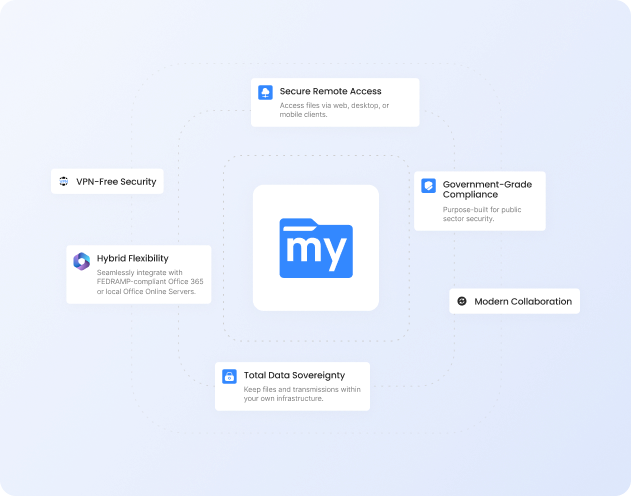
Keep your files where they are. MyWorkDrive is a secure access gateway that sits directly on top of your existing Windows file shares and Active Directory, with no syncing files into a platform database, no importing AD users, and no forced client migration. Employees get browser, mapped drive, and mobile access over HTTPS on port 443 within hours, which eliminates the VPN and the lateral network access risk that comes with it. Over 700,000 users across enterprises, government agencies, and universities run on MyWorkDrive today. Full service support is always included.
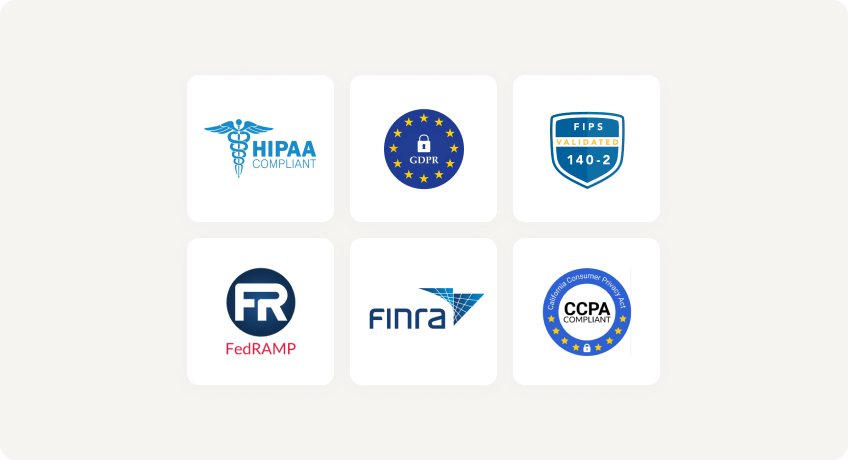
Trusted by Organizations Worldwide


Quick Comparison
| Capability |
|

|
|---|---|---|
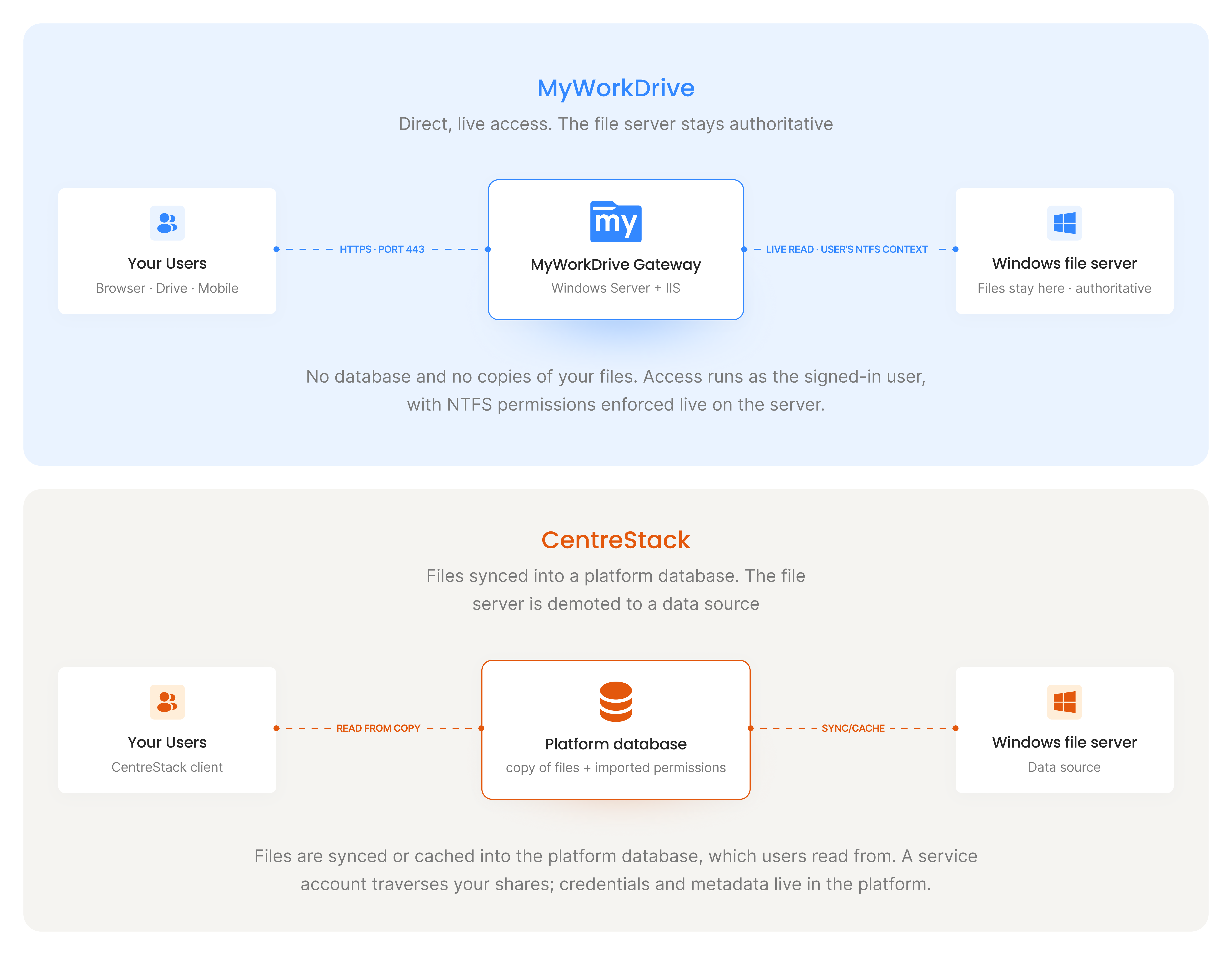
| Files stay on your Windows file server | Always. Direct gateway access keeps the file server as the authoritative system | Files are synced or cached into a platform-managed database, then presented back to users |
| Native NTFS permission enforcement | Fully native. NTFS ACLs and Access-Based Enumeration are enforced live in the user's login context | Permissions imported into CentreStack's own database and maintained there |
| Active Directory integration | Native. Licenses auto-provision and deprovision as users appear and disappear from AD | AD users and groups imported into the platform database; manual license key management |
| Database required | None. No credentials, file contents, or user data are stored in a MyWorkDrive database | SQL database required to provision, back up, and administer |
| Mapped drive client | Multiple drive letters per share, mapped over HTTPS without a VPN | Single mapped drive via the CentreStack client |
| File locking alongside legacy mapped-drive clients | Native locking across web, mobile, and mapped drive, so existing in-office SMB users keep working unchanged | All users must migrate to CentreStack clients for correct lock behavior across client types |
| Microsoft Office editing on mobile | Microsoft-certified Cloud Storage Provider, with native Office apps on iOS/Android and real-time co-editing | Web-based Office editing; not Microsoft-certified, relies on file sync rather than live access |
| FIPS certification | NIST-validated FIPS 186-4 RSA (certificate #3018) | No FIPS certification |
| Security track record | No platform database or service-account access to traverse. Access runs in each user's own login context | Three actively exploited CVEs in 2025 to 2026, added to the CISA KEV catalog; FINRA issued an alert in January 2026 |
| SSO / MFA (SAML, Okta, Duo, ADFS) | Supported | Supported |
| Offline sync / local caching | Always-online model by design, so files are never duplicated to endpoints | Sync architecture supports local caching for intermittent connectivity |
| List price | $5/user/mo or lessannual, all features and support included | From ~$10/user/mo self-hosted20-user minimum (~$200/mo entry cost) |
Faster Setup, Lower Costs
No Database, No Migration
Point MyWorkDrive at your existing shares and deploy in hours. Nothing to migrate, nothing to index into a proprietary database, and no SQL server to provision, patch, or back up.
Native AD and NTFS Permissions
Access runs in each user's own login context. NTFS ACLs and Access-Based Enumeration remain authoritative, with no importing users into a platform database and no permission drift.
Half the Per-User Cost
$5/user/month or less with all features and live support included, versus roughly $10/user/month self-hosted with a 20-user minimum, before migration effort and database administration are factored in.
The CentreStack Vulnerability Record: 2025 to 2026
CentreStack uses service accounts with elevated permissions to traverse shares for search and sync, and it stores credentials and metadata in its own database, so the platform itself holds privileged access to data across your environment. The attack surface a product creates follows from how it is built, and CentreStack's design has drawn repeated exploitation.
In 2025 and into 2026, three vulnerabilities in CentreStack were actively exploited. CVE-2025-30406, a remote code execution flaw rooted in hardcoded machineKey values in CentreStack's ASP.NET configuration, allowed attackers who extracted the web.config file to execute arbitrary code with SYSTEM-level privileges. Huntress reported in-the-wild exploitation beginning in early 2025, and CISA added it to the Known Exploited Vulnerabilities catalog.
A second flaw, CVE-2025-11371, an unauthenticated local file inclusion vulnerability, was exploited before a patch was available and entered the CISA KEV catalog in November 2025. A third, CVE-2025-14611, involved hardcoded AES cryptographic keys affecting all CentreStack and Triofox instances prior to version 16.12.10420.56791; CISA added it to the KEV catalog in December 2025. Huntress observed attackers chaining all three vulnerabilities in a single orchestrated attack flow, and FINRA issued a cybersecurity alert specifically naming these vulnerabilities in January 2026. The Clop ransomware group was identified among the threat actors targeting CentreStack installations.
MyWorkDrive's architecture sidesteps this entire category of exposure: there is no platform database holding credentials or file metadata, no service account with elevated traverse rights, and no proprietary access-ticket scheme. Access is governed exclusively by Windows NTFS permissions in each user's own login context, and MyWorkDrive is NIST FIPS-certified (FIPS 186-4 RSA, certificate #3018), which many government, defense, and healthcare procurements require. Organizations evaluating CentreStack, particularly in regulated environments, should weigh this pattern against their risk tolerance.
MyWorkDrive vs CentreStack by Use Case
The right tool depends on what you are actually trying to do. Here is how the two compare across the most common reasons teams evaluate a CentreStack alternative.
Accessing Windows file shares from a browser
MyWorkDrive presents your existing Windows file shares through a browser file manager over HTTPS, with no client to install and no files copied anywhere. Because access runs in the signed-in user's own context, the folders and files a person sees in the browser are exactly the ones their NTFS permissions already allow. CentreStack also offers a browser file manager, but it serves files out of its own synced database rather than reading the share live, so what appears in the browser reflects the platform's copy and its imported permission set. For teams that want browser access to Windows file server data without changing where that data lives, MyWorkDrive is the closer fit.
Mapping a network drive over the internet without a VPN
MyWorkDrive gives remote users a true mapped drive over HTTPS on port 443, including multiple drive letters per share, so the experience matches what staff already use in the office. There is no need to open the network through a VPN, and none of the lateral movement risk a VPN introduces. CentreStack provides a single mapped drive through its own client. If eliminating the VPN while keeping the familiar mapped-drive workflow is the goal, MyWorkDrive delivers it as a Zero Trust VPN alternative that works with your existing infrastructure from day one.
Editing Office files on a file server from a phone or tablet
MyWorkDrive is a Microsoft-certified Cloud Storage Provider, which enables native Office app editing and co-authoring on iOS and Android for files that stay on your Windows file server, with no local sync. CentreStack supports Office Online editing in its web client but is not Microsoft-certified for that integration, and its editing path relies on file sync. For mobile Office editing tied directly to the file server, MyWorkDrive's certified integration is the stronger option.
Keeping files on a file server while supporting remote workers
MyWorkDrive layers onto the file server you already run and leaves the data in place, so remote and in-office users work against the same authoritative files with the same live NTFS permissions and native file locking. CentreStack's model makes the file server a data source that feeds its platform database, which means remote access reflects a synced copy rather than the live share. When the requirement is remote access without giving up the file server as the system of record, MyWorkDrive matches it directly. A full list of included capabilities is available, and there is nothing to migrate to get started.
Why Choose MyWorkDrive?
Architecture and Data Residency

- MyWorkDrive: A secure access gateway installed on Windows Server, either on-premises or in Azure, sitting directly on top of your existing NTFS shares. The file server remains the authoritative system. No file migration, no proprietary database, no changes to permissions.
- CentreStack: Syncs or caches files into a platform-managed database, then presents them back to users. The file server stops being the authoritative system and instead becomes a data source feeding CentreStack's infrastructure, which carries downstream consequences for security, administration, and data sovereignty.
Identity, Permissions & Licensing
- MyWorkDrive: Operates entirely in the user's login context against your existing Active Directory. NTFS ACLs and Access-Based Enumeration are authoritative and enforced live. Licensing auto-provisions and deprovisions as users appear and disappear from AD.
- CentreStack: Imports AD users and groups into its own database and requires manual license key management. Administrators must dedicate ongoing effort to keeping that database aligned with directory changes.
File Locking & Mixed Client Environments
- MyWorkDrive: Native file locking across web, mobile, and desktop mapped drive. Users who already map a drive the traditional way in the office continue to do so; remote users get the same share experience over HTTPS. No forced migration, no training overhead, no lock conflict risk.
- CentreStack: If traditional Windows mapped drives are used alongside CentreStack, files cannot be properly locked across both client types simultaneously. All users must migrate to CentreStack-native clients for correct locking behavior.
Microsoft Office Editing
- MyWorkDrive: A Microsoft-certified Cloud Storage Provider. Native Office app integration on iOS and Android with real-time editing and co-editing of files stored on your Windows file server, without syncing files locally.
- CentreStack: Offers Office Online editing in its web client, but is not Microsoft-certified for this integration, and editing involves file sync rather than live access.
Compliance & Certification
- MyWorkDrive: NIST FIPS-certified (FIPS 186-4 RSA, #3018), which many government, defense, and healthcare procurements require. CMMC, HIPAA, and GDPR-aligned deployment out of the box, with CMMC-compliant file sharing and DLP controls built into the access layer.
- CentreStack: Supports HIPAA, CMMC, and GDPR compliance configurations but carries no FIPS certification, which can exclude it from regulated procurement processes.
Security You Can Prove
With MyWorkDrive, authentication and authorization stay anchored in your directory and your NTFS. No platform database holding credentials or file metadata, no service account with elevated access to traverse your shares, and no third-party repository to certify, making attestations simpler for regulated workloads.
Data Loss Prevention

(Block downloads, disable copy/paste, watermarking, device approvals)
Learn more
Which Organizations Should Choose MyWorkDrive
MyWorkDrive is the right choice for organizations that need any of the following.
- Keep files on their own Windows server without any data movement.
- Preserve existing NTFS permissions and Active Directory groups without rebuilding them.
- Operate in regulated industries requiring FIPS certification or CMMC-compliant file sharing, HIPAA, or GDPR compliance.
- Support existing Windows mapped-drive users who cannot tolerate a forced client migration.
- Deploy in hours rather than weeks, with no SQL database to provision.
- Apply data loss prevention controls built into the access layer, including watermarking, download restrictions, clipboard controls, and device approval.
- Eliminate the VPN and the lateral network access risk that comes with it.
- Address the concerns raised by the security vulnerabilities that have affected CentreStack deployments.
For MSPs serving clients in this situation, MyWorkDrive provides a clean, per-user model that layers onto existing Windows infrastructure without requiring the client to adopt a new storage architecture. MSPs working with clients in defense, healthcare, or government will find that FIPS certification and CMMC-compliant file sharing are available out of the box.
What our users are saying
 Industry-leading secure remote file access solution
We have determined that MyWorkDrive software is essential to the Government’s requirements and market research indicates that other companies’ similar products do not meet or cannot be modified to meet the agency’s needs.
We conducted annual market research in January 2025 by comparing two competitors, ShareFile and Dropbox.
However, neither of these companies provides us with the necessary capabilities required to allow us to utilize the existing infrastructure, maintain stringent control over their data, and integrate with current enterprise security and authentication protocols.
These companies software do not provide real-time collaboration capabilities, does not eliminate Virtual Private Network (VPN) security risks nor prevent lateral network access.
Due to the inabilities noted, we have determined that MyWorkDrive software is essential to the Government’s requirements and market research indicates that other companies’ similar products do not meet or cannot be modified to meet the agency’s needs.
MyWorkDrive is the most network secure compatible software application capable of eliminating VPN security risks and preventing lateral network access…
…Therefore, it is in the Government’s best interest to procure MyWorkDrive software.
Undisclosed Government Agency

See More Reviews



See the MyWorkDrive Advantage for Yourself
Book a personalized demo or start your free trial today