

Server Message Block (SMB) file sharing underpins most Windows-based file services, yet the way it is exposed can make the difference between a secure environment and a major breach. Among all the ports used in enterprise networks, few are as sensitive as 445. Understanding SMB port 445 risks, the behavior of SMB, and the options available for secure remote access is essential for defenders who want to minimize the attack surface without slowing down the business.
SMB, developed by Microsoft, is a core protocol for Windows environments and is frequently targeted by cyber threats due to its widespread use in enterprise networks.
Instead of publishing SMB directly to the internet, many organizations are shifting to HTTPS based access through a gateway. This shift helps protect against evolving cyber threats that target exposed network ports like TCP 445. MyWorkDrive provides this type of secure file access over Port 443 while keeping SMB and NTFS permissions inside the private network, which significantly reduces exposure compared to leaving Port 445 open or relying only on VPNs.
Introduction to Port 445
What SMB and Port 445 Actually Do
The SMB protocol is a network file sharing protocol that enables network communication between computers and printers, allowing them to share files, printers, and other resources. It is primarily used by Windows operating systems for file and printer sharing, service communication, and named pipe access. Port 445 is a port number assigned to the transmission control protocol (TCP) that modern versions of SMB use for direct hosting, without the older NetBIOS dependencies. It is central to how Windows clients and servers:
-
Access file shares and home directories
-
Connect to print services
-
Communicate with certain application services that rely on SMB
SMB over port 445 is primarily used by Windows systems for efficient network communication.
In a typical internal network, SMB over Port 445 is used extensively between workstations, application servers, and Windows file servers.
Why Port 445 Is So Widely Used
Because SMB is deeply integrated into Windows:
-
Domain joined systems rely on SMB for authentication related operations and group policy distribution
-
File servers expose shares to line of business apps, departmental stores, and user home folders, enabling access to shared resources and facilitating resource sharing across the network
-
Many backup and management tools depend on SMB file and pipe access
This ubiquity is part of what makes SMB powerful and also what makes SMB vulnerabilities so impactful.
Internal Versus Internet Exposure
Inside a well segmented corporate network, SMB on Port 445 is usually restricted to trusted subnets and protected by authentication, authorization, and monitoring. However, exposing port 445 externally creates an entry point for attackers, allowing them to exploit vulnerabilities and gain unauthorized access. The risk profile changes drastically when Port 445 is:
-
Exposed directly to the public internet
-
Accessible through flat VPNs without segmentation
-
Left open to untrusted networks or unmanaged devices
-
Scanned by attackers using IP addresses to identify systems with open port 445 and target them for exploitation
This is where SMB port 445 security becomes critical. Instead of exposing Port 445 externally, organizations can use HTTPS-based alternatives such as MyWorkDrive, which publishes remote file access over Port 443 while keeping SMB traffic strictly internal.
Security Risks Associated with smb port 445
How Attackers Abuse SMB and Port 445
Port 445 poses a significant security risk if not properly secured, because it provides a direct path into the file services and authentication systems that hold valuable data. Common SMB vulnerabilities and attack patterns include:
-
Remote code execution exploits against unpatched SMB services
-
Credential theft and relay attacks that abuse NTLM and Kerberos flows
-
Ransomware that encrypts files across multiple shares via SMB
-
Wormable malware that attackers have exploited to spread malware automatically between systems over Port 445
Earlier versions of the protocol, such as SMBv1, are particularly vulnerable to exploits, including high profile notpetya ransomware attacks, where the attack exploited SMB vulnerabilities to propagate rapidly inside networks.
Lateral Movement and Data Breaches
Once attackers gain a foothold on any system that can reach Port 445, they often use SMB as a highway for lateral movement. Lateral movement is the process of moving from one compromised system to additional systems—including other systems and devices within the network—in order to escalate privilege and reach sensitive data. With open port 445 access across a flat network, attackers can:
-
Enumerate shares and users to map out the environment
-
Harvest cached credentials and reuse them on additional servers
-
Exfiltrate sensitive files or deploy ransomware widely
The risk of data breaches and lateral movement is especially high when Port 445 is exposed externally or reachable from unmanaged endpoints.
Reducing Exposure With HTTPS Proxies Like MyWorkDrive
Many organizations mistakenly leave Port 445 open at the perimeter or broadly accessible through VPN, which increases the risk of compromise. A more secure pattern is to:
-
Close Port 445 at the firewall
-
Limit SMB to internal, segmented networks
-
Provide remote access through an HTTPS gateway over Port 443
MyWorkDrive implements this model by proxying SMB access internally while publishing a web, mobile, and mapped drive interface over TLS on Port 443. Users gain secure remote access to file shares, while SMB services and NTFS permissions never leave the private network.
Network Traffic and Port 445
Monitoring SMB Traffic for Threats
Network traffic on Port 445 should be continuously monitored to detect and prevent potential security threats such as malware, brute force attempts, and suspicious file operations. Effective monitoring often includes:
-
Deep packet inspection for known SMB exploit signatures and identification of known threats targeting SMB
-
Anomaly detection on the volume and pattern of file operations
-
Correlation with authentication logs for unusual logon behavior
-
Alerts on access to sensitive shares outside normal usage patterns
This type of visibility is central to maintaining strong SMB port 445 security.
Firewalls, IDS, and IPS Controls
Firewalls and intrusion detection or prevention systems are key to controlling and securing SMB traffic. Recommended practices include:
-
Blocking inbound Port 445 from the internet entirely
-
Restricting SMB to specific internal networks and hosts
-
Using IDS/IPS rules to detect known SMB exploits
-
Logging and alerting on any attempted external connection to Port 445
For comprehensive protection, IDS/IPS should monitor both TCP and user datagram protocol (UDP) traffic, as network services like SMB and NetBIOS may utilize both protocols for data transmission.
Implementing network segmentation further reduces impact even if one segment is compromised.
Simplifying Monitoring With HTTPS and MyWorkDrive
When SMB is exposed directly, defenders must inspect and secure a noisy and complex protocol at the edge. By contrast, when you deploy MyWorkDrive so that external users connect over Port 443 and SMB traffic remains inside the network, monitoring becomes simpler:
-
Internet facing traffic is limited to standard HTTPS endpoints
-
Security teams can focus IDS/IPS and WAF rules on a smaller, well defined surface
-
SMB traffic is monitored internally where segmentation and access controls are easier to enforce
This approach helps reduce the chance that attackers can probe or exploit SMB directly from the internet.
Open Ports and Security Risks

Why Open Ports Matter
Open ports, including Port 445, can pose significant security risks if they are not properly managed and secured. An open port provides a listening service that attackers can scan, fingerprint, and attempt to exploit. Typical issues include:
-
Legacy services left running and unpatched
-
Default configurations that expose unnecessary functionality
-
Overly permissive firewall rules that allow access from untrusted networks
Open ports like 445 can also be targeted in DDoS attacks, leading to service disruptions and outages.
An open Port 445 accessible from the internet can be exploited to gain full access to a network, steal data, or deploy ransomware.
Reviewing and Hardening Port Configurations
It is essential to regularly review and update port configurations so that only necessary ports are open and protected. Good practices include:
-
Performing routine external and internal port scans
-
Maintaining an inventory of services that must be reachable
-
Closing or restricting any nonessential Port 445 exposure
-
Implementing strong authentication and encryption where exposure is required
This is a core part of securing SMB file sharing and other critical services.
VPNs, SMB, and Their Limitations
Using a Virtual Private Network (VPN) can provide an encrypted tunnel for remote access and reduce the risk of unauthorized interception. VPNs are designed to provide secure access for legitimate users, but if not properly managed, they may inadvertently expose internal resources to additional risks. However, traditional VPN designs often:
-
Extend broad network level access to remote endpoints
-
Make internal SMB shares directly reachable over Port 445
-
Depend heavily on the security posture of the remote device
This can undermine zero trust principles by assuming that any device connected through the VPN is trusted.
Using MyWorkDrive To Avoid Exposing SMB Over VPN
MyWorkDrive allows organizations to avoid exposing SMB over VPN or Port 445 by providing a secure, TLS encrypted web, mobile, and mapped drive client over Port 443. This model:
-
Aligns with standard firewall policies that already allow outbound HTTPS
-
Keeps SMB locked inside the data center or private cloud
-
Limits what remote users can access to published file shares rather than entire subnets
As a result, the external attack surface is smaller and more aligned with zero trust security models.
File Sharing and Port 445
Why SMB File Sharing Is Critical
File sharing is a critical function of the SMB protocol, and Port 445 plays a key role in facilitating this process. SMB file servers support:
-
Departmental shares for teams and projects
-
User home drives and personal storage
-
Application data directories used by line of business systems
These services are essential for daily operations in most enterprises.
Security Risks Inherent in File Sharing
The same mechanisms that make SMB convenient also introduce risk. Without proper governance, SMB file sharing can:
-
Expose sensitive information to overly broad groups
-
Allow unauthorized users to discover confidential folders
-
Provide a path for malware to spread across multiple shares
Implementing proper access controls, including strong authentication and least privilege authorization, is crucial to prevent unauthorized access.
Hardening SMB File Servers
To secure SMB based file sharing internally, organizations should:
-
Enforce NTFS and share level permissions based on least privilege
-
Remove SMBv1 and enforce modern SMB versions with strong encryption options
-
Regularly update and patch operating systems and SMB services
-
Audit access to sensitive directories and respond to anomalies
These steps reduce SMB vulnerabilities and limit the potential blast radius of a compromise.
Using MyWorkDrive To Publish File Shares Securely
MyWorkDrive keeps native NTFS permissions and existing SMB shares in place while publishing them securely over HTTPS on Port 443. This allows organizations to:
-
Maintain their current Windows file server architecture
-
Avoid opening Port 445 to the internet or synchronizing data into third party cloud silos
-
Provide users with familiar mapped drives, web access, and mobile clients that respect existing access controls
The result is a secure access layer on top of existing infrastructure rather than a disruptive data migration.
Network Security Measures
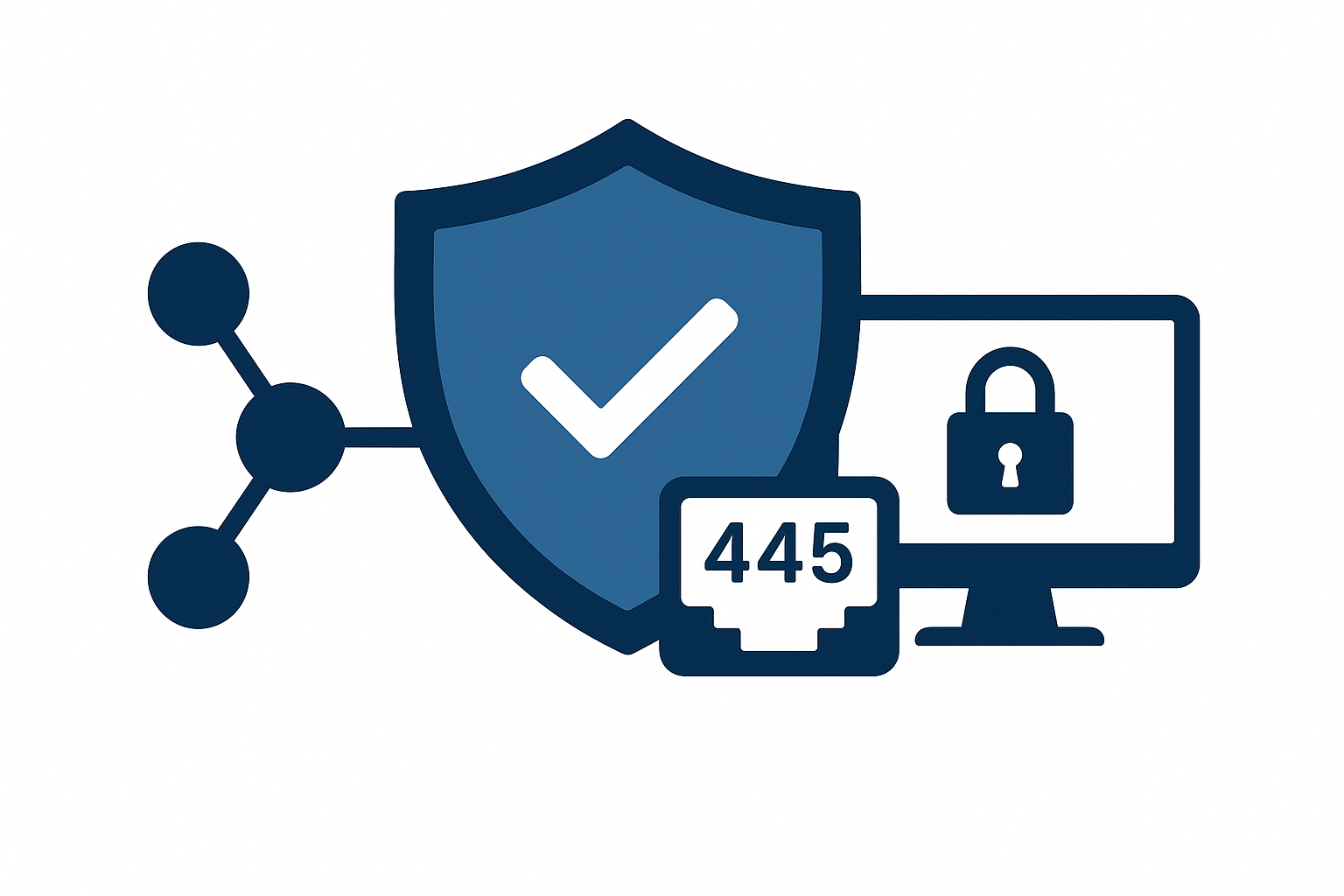
Defense in Depth for SMB and Port 445
Defending against smb port 445 risks requires a defense-in-depth approach. No single control is sufficient. Defense in depth is essential for ensuring secure network communication over SMB and port 445, as it helps protect against a wide range of cyber threats targeting this critical protocol. A comprehensive strategy typically includes:
-
Network-level controls such as firewalls, segmentation, and VPN policies
-
Host level controls such as patching, endpoint protection, and configuration hardening
-
Identity and access management controls such as MFA and conditional access
-
Monitoring and response capabilities to detect and contain incidents
Together, these layers provide more resilience than relying on any one technology.
Core Controls Around Port 445
Specific measures that help secure SMB port 445 security include:
-
Blocking inbound Port 445 at the perimeter
-
Restricting SMB to specific internal segments and management networks
-
Using endpoint detection and response tools on servers that expose SMB
-
Auditing file access, especially for sensitive shares and privileged accounts
These measures limit opportunities for external attackers and insiders alike.
MyWorkDrive as a Secure Access Layer
As part of a defense in depth strategy, MyWorkDrive serves as a secure access layer that:
-
Terminates HTTPS on Port 443 rather than exposing SMB directly
-
Proxies SMB internally while preserving NTFS permissions and access logs
-
Integrates with existing identity providers such as Active Directory, Entra ID, and SAML-based SSO
-
Enforces multi-factor authentication and session controls for remote users
This design keeps SMB restricted to the internal network while providing secure, audited access for remote and mobile workers.
Penetration Testing and Vulnerability Assessment
Why Testing Must Include Port 445
Penetration testing and vulnerability assessments are critical components of a comprehensive network security strategy. They help identify:
-
Open ports, including Port 445, that are unintentionally exposed
-
Unpatched SMB vulnerabilities on servers and appliances (note: legacy systems such as Windows XP are especially vulnerable to SMB exploits)
-
Misconfigurations that allow excessive access to sensitive shares
Without such testing, organizations may be unaware of dangerous exposures until they are exploited.
Using Tools To Discover SMB Exposures
Common security tools can automate the discovery of SMB related issues by:
-
Scanning external and internal ranges for open Port 445
-
Identifying SMB version, cipher suites, and configuration details
-
Flagging known vulnerabilities that affect detected SMB services
These insights guide remediation efforts and help prioritize patching and configuration changes.
Validating Port 445 Closure and MyWorkDrive Deployment
Organizations can validate during testing that:
-
Port 445 is fully closed on internet-facing interfaces
-
External vulnerability scans cannot reach internal SMB services
-
Remote file access is only available via HTTPS on Port 443 through solutions like MyWorkDrive
By confirming that SMB is no longer directly reachable from untrusted networks, security teams can demonstrate a significant reduction in the exposure of SMB services to Internet-based scans and attacks.
Intrusion Detection and Prevention
Detecting SMB Based Attacks
Intrusion detection and prevention systems help detect and prevent security threats on Port 445, including:
-
Exploit attempts against SMB services
-
Unusual patterns of file access that indicate ransomware or data theft
-
Brute force or dictionary attacks against user accounts
-
Suspicious SMB traffic between hosts that typically do not communicate
Alerting on these patterns allows defenders to respond before an incident escalates.
Continuous Monitoring and Response
Effective intrusion detection and prevention around SMB involves:
-
Continuous monitoring of system and network logs
-
Correlating SMB activity with authentication and endpoint telemetry
-
Tuning signatures and analytics to reduce false positives
-
Having defined playbooks for investigating and containing SMB related alerts
This operational discipline is as important as the technology itself.
Narrowing the Detection Surface With HTTPS Gateways
When MyWorkDrive is used to publish file access over Port 443 instead of exposing Port 445, intrusion detection efforts can focus on a smaller set of hardened HTTPS endpoints. Benefits include:
-
Reduced complexity in network inspection, since only HTTPS is exposed externally
-
Easier enforcement of strict access policies and MFA at the gateway
-
Clear separation between external access paths and internal SMB services
This approach supports a more manageable and effective monitoring program for remote file access.
Comparing Port 445, VPN, and MyWorkDrive Over Port 443

Exposing Port 445 Directly
Directly exposing SMB on Port 445 to the internet is rarely justifiable in modern environments. Typical characteristics include:
-
High visibility to automated scanning and exploit tools
-
Direct access to file services from untrusted networks
-
Difficulty enforcing granular access controls or zero trust principles
This model usually results in a large and fragile attack surface.
Relying Solely on VPN for SMB
Using VPNs without additional controls is an improvement over direct exposure, but it still has limitations:
-
Remote devices gain broad network-level access, including Port 445
-
Security posture of remote endpoints varies and may be difficult to validate
-
User experience can be impacted by latency and complex login steps
VPNs remain useful, but they are not a complete answer to smb port 445 risks on their own.
Publishing Secure File Access With MyWorkDrive Over Port 443
MyWorkDrive offers a different approach that focuses on securing SMB file access at the application layer:
-
SMB and NTFS permissions remain inside the private network and never traverse the internet
-
Remote users access files over TLS-encrypted HTTPS on Port 443 through web, mobile, or mapped drive clients
-
The external attack surface is limited to well-defined HTTPS endpoints that integrate with MFA and enterprise identity providers
-
Zero trust patterns are easier to implement, because access is scoped to the file application rather than entire networks
For organizations that depend heavily on Windows file servers, this model preserves existing investments while significantly reducing the risks associated with open Port 445 or broad VPN based access.
Conclusion: Reducing smb port 445 risks with MyWorkDrive

Key Takeaways for Technical Decision Makers
For enterprises and regulated industries, SMB and Port 445 are both essential and inherently sensitive. To manage smb port 445 risks effectively, organizations should:
-
Treat Port 445 as a high-risk service that must never be exposed directly to the internet
-
Harden and segment internal SMB services, removing legacy protocols and enforcing least privilege
-
Implement defense in depth with firewalls, IDS/IPS, endpoint protection, and continuous monitoring
-
Use penetration testing and vulnerability assessments to validate that Port 445 is not externally reachable
At the same time, business units need seamless access to shared files from anywhere, which means security architecture must balance strict controls with usability.
Next Steps: Try MyWorkDrive as a Safer Alternative
MyWorkDrive provides a practical way to satisfy both security and productivity requirements:
-
Keep SMB and NTFS permissions on existing Windows file servers
-
Publish secure remote access to those shares over HTTPS on Port 443
-
Integrate with your current identity provider and multi factor authentication
-
Reduce reliance on open Port 445 and broad VPN access while supporting web, mobile, and mapped drive clients
If you are planning a project to close external Port 445, modernize VPN access, or align file sharing with zero trust, consider evaluating MyWorkDrive as your secure access layer. A proof of concept deployment that closes external SMB exposure and routes remote access through MyWorkDrive on Port 443 can quickly demonstrate how to preserve familiar file sharing workflows while dramatically shrinking your attack surface.